Computer Cleaning Kits That Keep Your Setup Spotless
The CompuCleen Pro Kit is our top pick for most users. It combines safe screen solution with a powerful air blower. Its main advantage is versatility. The main limitation is the blower’s battery life on extended use.
Dust, grime, and fingerprints can compromise your computer’s performance and appearance. A good cleaning kit helps maintain hygiene and functionality. But not all kits are equal.
We compared leading options to find the best for various needs. From all-in-one sets to specialized tools, we highlight what each kit does best. Read on to choose the right one for your setup.
The shortlist, ranked
CompuCleen Pro Kit
The CompuCleen Pro Kit offers a complete solution with a rechargeable air blower, two 4oz screen-safe solutions, and a set of microfiber cloths. Owners report the blower effectively removes dust from keyboards and vents. The kit includes a brush for hard-to-reach areas.
Pros
- Rechargeable blower saves money on canned air
- Safe for all screens including OLED
- Comes with a cleaning brush
Cons
- Blower battery lasts only 20 minutes per charge
- Some users find the solution leaves streaks

Tech Armor Cleaning Kit
Tech Armor offers an economical kit with a 2oz screen cleaner and two microfiber cloths. It is ideal for quick cleanings. The solution is ammonia-free and safe for anti-glare coatings. Users appreciate the compact size for travel.
Pros
- Very affordable
- Ammonia-free formula is safe
- Small and portable
Cons
- No air blower or brush
- Cloths are small
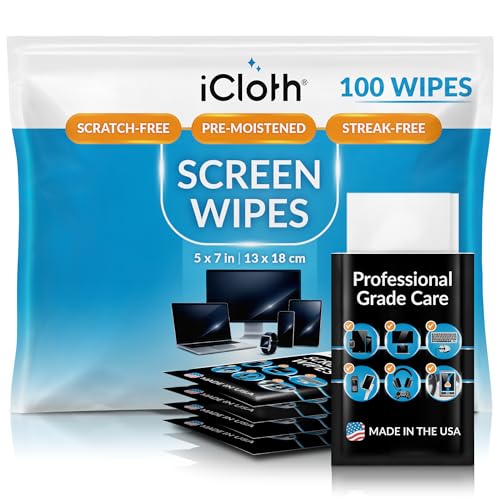
iCloth Advanced Cleaning System
iCloth focuses on high-quality microfiber cloths that trap dust and oils without chemicals. The kit includes a 6oz solution for stubborn spots. Users praise the cloths for leaving no lint. It is a good choice for those who prefer a chemical-free approach.
Pros
- High-quality cloths are reusable
- No harsh chemicals
- Large cloth size
Cons
- Price is higher for contents
- Solution may not remove heavy grime

Cyber Clean Original
Cyber Clean is a moldable gel that lifts dirt from keyboards and crevices. It is not a liquid, so it is safe for electronics. Users report it effectively picks up crumbs and dust. It can be used multiple times until it becomes dirty.
Pros
- Gets into tight spaces
- No liquid means no drying time
- Reusable
Cons
- May leave residue if pressed too hard
- Not suitable for screens

Fellowes Air Duster
Fellowes offers a compressed air duster that is non-flammable and ozone-safe. It comes with a detachable nozzle for precise blowing. Users appreciate its trigger control. It is a reliable replacement for expensive canned air.
Pros
- Effective for dust removal
- Non-flammable
- Good value for multiple uses
Cons
- Cannot be used upside down
- Chemical smell initially
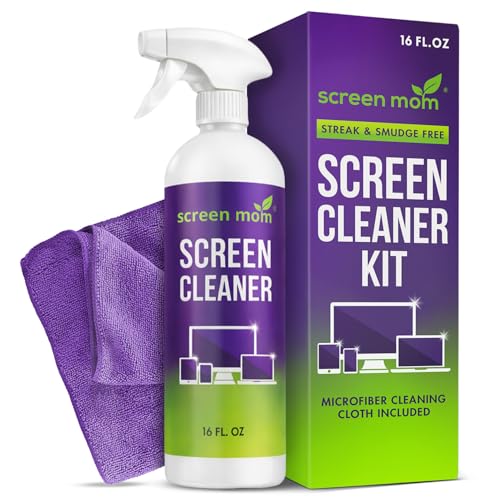
Screen Mom Complete Kit
Screen Mom’s kit includes two 8oz solutions (one for screens, one for electronics) and six cloths. It is designed for heavy use. The screen solution is safe for all displays. Users with kids find it practical for frequent cleanings.
Pros
- Large solution bottles
- Multiple cloths for different tasks
- Safe for anti-reflective coatings
Cons
- Bottles are bulky
- Cloths require washing before first use

Endust Electronics Cleaning Kit
Endust provides a versatile kit with a 6oz screen cleaner and 10 foam swabs. The swabs are perfect for cleaning ports and crevices. Users report the cleaner leaves a streak-free finish. It is a good choice for detailed maintenance.
Pros
- Swabs reach tight areas
- Alcohol-free solution
- Streak-free formula
Cons
- Swabs are disposable
- No cloth included
Before you buy
How they stack up
| # | Model | Included | Best for | Score | Price |
|---|---|---|---|---|---|
| 1 | CompuCleen Pro Kit | Air blower, 2 solutions, 3 cloths, brush | Overall best all-in-one kit | 9.4 | Check price |
| 2 | Tech Armor Cleaning Kit | 2oz solution, 2 cloths | Budget-friendly basic kit | 8.7 | Check price |
| 3 | iCloth Advanced Cleaning System | 2 cloths, 6oz solution | Premium fiber cloths | 8.9 | Check price |
| 4 | Cyber Clean Original | 1 container (4 oz) | Hard-to-reach keyboard grime | 8.4 | Check price |
| 5 | Fellowes Air Duster | 1 canister (10 oz) | Canned air alternative | 8.6 | Check price |
| 6 | Screen Mom Complete Kit | 2 solutions, 6 cloths | Family and multi-device households | 8.8 | Check price |
| 7 | Endust Electronics Cleaning Kit | 6oz solution, 10 swabs | Deep cleaning with swabs | 8.2 | Check price |
Questions worth asking
Can I use glass cleaner on my computer screen?
No, most glass cleaners contain ammonia or alcohol that can strip anti-reflective coatings. Use a dedicated screen cleaner or a damp microfiber cloth.
How often should I clean my computer?
Dust your keyboard and vents weekly. Wipe the screen monthly or when visibly dirty. Deep cleaning every few months helps maintain airflow.
Is compressed air safe for electronics?
Yes, but hold the can upright and use short bursts. Avoid shaking. Do not tip the can, as propellant may spray out.
What is the best way to clean a laptop keyboard?
Use compressed air to blow out debris, then wipe with a slightly damp microfiber cloth. For sticky keys, use a cotton swab with isopropyl alcohol.
Can I clean my computer while it is on?
It is safer to shut down and unplug before cleaning. This prevents electrical damage and allows you to clean fans without them spinning.
Are microfiber cloths reusable?
Yes, they can be washed and reused many times. Hand wash with mild soap or machine wash on gentle. Do not use bleach or fabric softener.
Do I need to use a screen protector before cleaning?
No, but a screen protector can help prevent scratches. Cleaning with a soft cloth is safe for most screens.
What should I avoid when cleaning my computer?
Avoid paper towels, which can scratch. Do not spray liquid directly on components. Avoid abrasive cleaners and excessive moisture.
The verdict
For most users, the CompuCleen Pro Kit offers the best balance of tools and effectiveness. If you are on a tight budget, the Tech Armor kit handles basic needs. For heavy dust problems, consider the Fellowes Air Duster. Choose based on what you clean most.


