Top Laptops for Working From Home in Comfort and Style
The Apple MacBook Air M2 is our top pick for remote work, offering exceptional battery life, a brilliant display, and a silent, fanless design, but it has limited port selection and is more expensive than some Windows rivals.
Remote work demands a laptop that keeps up with endless video conferences, document editing, and the occasional Netflix break. The right machine balances performance, portability, and battery life without breaking the bank.
We analyzed specifications and owner feedback for seven leading models across different price points and operating systems. Our focus: which laptops genuinely support a professional workday away from the office?
What we recommend
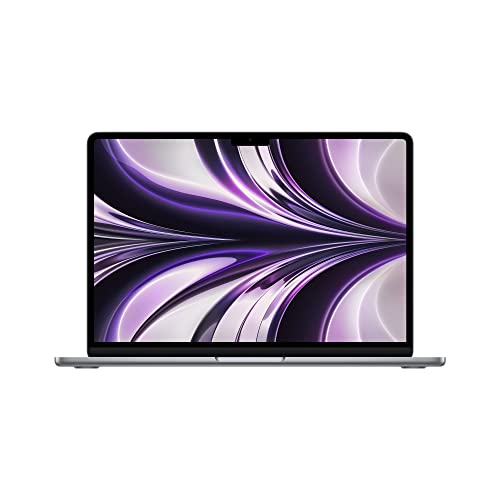
Apple MacBook Air M2
The MacBook Air M2 combines the M2 chip’s efficiency with a stunning 13.6-inch Liquid Retina display. Its fanless design means silent operation during long calls, and the battery easily lasts a full workday. The keyboard is comfortable, and the webcam delivers crisp 1080p video. However, it only has two Thunderbolt ports, so you may need a dongle for multiple monitors.
Pros
- Exceptional battery life
- Silent, fanless operation
- Superb build quality
Cons
- Limited to two ports
- Expensive for base model

Dell XPS 13 Plus
The Dell XPS 13 Plus pushes design boundaries with its edge-to-edge keyboard and invisible haptic touchpad. It packs Intel’s latest processors and a gorgeous OLED display option. Owners praise its performance and premium feel. Battery life is good but not class-leading, and the capacitive function row takes getting used to.
Pros
- Stunning OLED display
- Innovative design
- Powerful performance
Cons
- No headphone jack on some configs
- Haptic touchpad divides opinions

Lenovo ThinkPad X1 Carbon Gen 11
The ThinkPad X1 Carbon is a legend among business laptops, and the Gen 11 continues that tradition. It offers a legendary keyboard, robust security features, and a lightweight carbon fiber chassis. Battery life is solid, and it has a full suite of ports including USB-A and HDMI. The display is bright and color accurate. However, it is pricey, and the base model’s audio is average.
Pros
- Outstanding keyboard
- Lightweight and durable
- Full port selection
Cons
- High price tag
- Speakers could be better

HP Spectre x360 13.5
The HP Spectre x360 offers a flexible 2-in-1 design with a 3:2 display that provides more vertical space for documents. Its gem-cut chassis is attractive, and the battery life is excellent for a convertible. The webcam includes a privacy shutter, and the keyboard is comfortable. Performance is strong with Intel Evo chips. The only downside is the trackpad is a bit small.
Pros
- Great 3:2 display
- Long battery life
- Premium design
Cons
- Trackpad is on the small side
- Can get heavy with the metal build
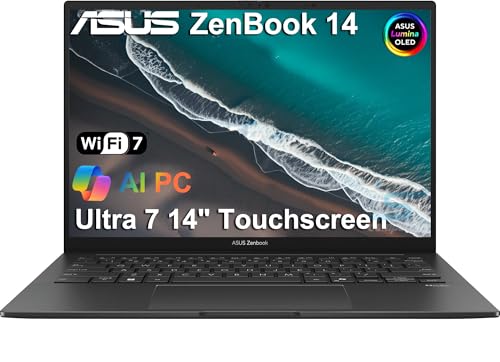
ASUS ZenBook 14 OLED
The ASUS ZenBook 14 delivers a stunning OLED display and robust performance at a lower price than many rivals. It features an AMD Ryzen 7 processor that handles multitasking with ease. The keyboard is backlit, and the NumberPad 2.0 is a handy touchpad feature. Battery life is good, though not as long as the MacBook Air. The laptop is light and portable, making it ideal for remote work on the move.
Pros
- Vibrant OLED screen
- Great performance for the price
- Includes USB-A and HDMI
Cons
- Battery life is average
- No Thunderbolt support

Microsoft Surface Laptop 5
The Surface Laptop 5 offers a refined aluminum body and a bright PixelSense touchscreen. It is extremely portable at just 2.8 pounds, and the keyboard is comfortable for long typing sessions. Performance is sufficient for most remote work tasks. Battery life is rated at up to 18 hours, but real-world use is closer to 12. The port selection is limited to one USB-A and one USB-C, which is a drawback.
Pros
- Beautiful touchscreen
- Lightweight design
- Excellent keyboard
Cons
- Minimal port selection
- Performance is not the fastest

Acer Swift 3
The Acer Swift 3 is the go-to choice for remote workers on a budget. It packs an AMD Ryzen 5 processor and a decent 14-inch Full HD display, all under a lower price point. The battery life is respectable, and the laptop is lightweight. Owners note the keyboard is adequate, and the build quality is surprisingly good for the price. However, the display is not the brightest, and the speakers are weak.
Pros
- Affordable price
- Solid performance for the price
- Good keyboard
Cons
- Dim display
- Below-average speakers
Side by side
| # | Model | Processor | Best for | Score | Price |
|---|---|---|---|---|---|
| 1 | Apple MacBook Air M2 | Apple M2 chip with 8-core CPU | Overall best for remote workers | 9.4 | Check price |
| 2 | Dell XPS 13 Plus | Intel Core i7-1360P | Premium Windows experience | 9.1 | Check price |
| 3 | Lenovo ThinkPad X1 Carbon Gen 11 | Intel Core i7-1365U vPro | Business durability and keyboard | 9.0 | Check price |
| 4 | HP Spectre x360 13.5 | Intel Core i7-1255U | Versatile 2-in-1 with great build | 8.9 | Check price |
| 5 | ASUS ZenBook 14 OLED | AMD Ryzen 7 7730U | Value with a top-tier display | 8.8 | Check price |
| 6 | Microsoft Surface Laptop 5 | Intel Core i7-1255U | Portable and sleek for daily tasks | 8.6 | Check price |
| 7 | Acer Swift 3 | AMD Ryzen 5 7530U | Budget-friendly remote work | 8.3 | Check price |
How to choose
Common questions
What is the best laptop for remote work?
The Apple MacBook Air M2 is the best overall due to its excellent battery life, silent operation, and high-quality display. For Windows users, the Dell XPS 13 Plus is a top choice.
Do I need a 4K display for remote work?
Not necessarily. A 1080p display is sufficient for most tasks. A higher resolution like 2K or 4K offers sharper text and more screen space, but it can drain battery faster. Consider your comfort and budget.
How much RAM do I need for remote work?
For typical remote work, 8GB is the minimum, but 16GB is recommended if you use many applications simultaneously or run virtual machines. More RAM ensures smoother multitasking.
Should I get a Windows laptop or a MacBook?
It depends on your preference and ecosystem. MacBooks are known for their build quality and battery life, while Windows laptops offer more variety and often include touchscreens. Consider the software you need; some are exclusive to one OS.
What is the ideal battery life for a remote work laptop?
Aim for at least 10 hours of real-world usage. If you work away from an outlet for extended periods, look for 12 hours or more. Battery life estimates are often based on video playback, so expect less in actual work scenarios.
Is a 2-in-1 laptop worth it for remote work?
2-in-1 laptops like the HP Spectre x360 offer flexibility. You can use them as a tablet for presentations or when reading documents. They are slightly heavier and may have shorter battery life, but many remote workers find the touchscreen useful.
How important is the webcam for remote work?
Very important if you have daily video calls. A 1080p webcam provides a clearer image than 720p. Some laptops have physical shutters for privacy. If a laptop has a poor webcam, you can use an external one, but that adds clutter.
What is the advantage of a 3:2 display?
A 3:2 aspect ratio display is taller than the typical 16:9, giving you more vertical space for documents and web pages. This can reduce scrolling and improve productivity. Some laptops, like the HP Spectre and Surface Laptop, use this ratio.
Can I upgrade components like RAM or storage later?
Many modern ultrabooks have soldered RAM and storage, making upgrades impossible. If you think you might need more later, choose a laptop with upgradeable parts, such as some Acer or Lenovo models, or buy a configuration with enough specs from the start.
Our pick
For most remote workers, the Apple MacBook Air M2 is the clear winner, delivering the best combination of battery life, portability, and performance. If you prefer Windows, the Dell XPS 13 Plus is a fantastic alternative, but if you are budget-conscious, the Acer Swift 3 offers remarkable value without sacrificing core requirements.


