Top-Rated Modems for Professionals and Home Offices
For professionals, the best modem is the Netgear Nighthawk CM2000, which supports multi-gig internet plans and has a reliable 2.5 Gbps Ethernet port. It’s ideal for heavy cloud use and large file transfers, but it lacks built-in Wi-Fi, so you’ll need a separate router.
A slow or unreliable modem can cripple your productivity, causing dropped video calls and stalled uploads. Professionals need a modem that can handle high-bandwidth tasks like video conferencing, cloud backups, and large data transfers without hiccups.
We’ve analyzed the specifications and user feedback for the most popular modems on the market to find the ones that offer the best performance, reliability, and advanced features for demanding users. From multi-gig capable DOCSIS 3.1 models to those with integrated Wi-Fi 6, these are the top choices for professionals.
What we recommend

Netgear Nighthawk CM2000
The Netgear Nighthawk CM2000 is a high-performance DOCSIS 3.1 cable modem designed for internet plans up to 2.5 Gbps. It features a 2.5 Gbps Ethernet port, ensuring you get the fastest possible wired connection for your router or computer. It’s compatible with major cable ISPs like Xfinity, Spectrum, and Cox.
Pros
- Supports multi-gig internet plans
- Future-proof with 2.5G port
- Compact and stable design
Cons
- No Wi-Fi built in
- Premium price
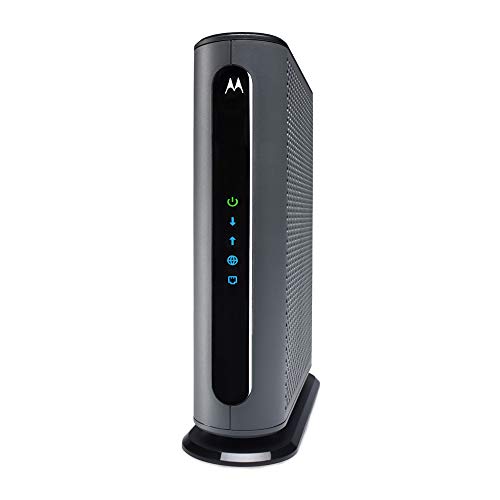
Motorola MB8611
The Motorola MB8611 is another DOCSIS 3.1 modem that supports multi-gig speeds with a 2.5 Gbps Ethernet port. It offers similar performance to the Netgear but at a more accessible price point. It’s compatible with major US cable providers and includes a 2-year warranty.
Pros
- Lower cost for 2.5G support
- Solid build quality
- Wide ISP compatibility
Cons
- No link aggregation
- No Wi-Fi

Netgear Nighthawk CM1200
The Netgear Nighthawk CM1200 is a DOCSIS 3.1 modem with four Gigabit Ethernet ports, two of which can be aggregated to achieve up to 2 Gbps speeds. It’s ideal for gigabit internet plans and offers excellent performance for gaming and streaming, but it’s also great for professional use.
Pros
- Link aggregation for redundancy and speed
- Four Ethernet ports for multiple devices
- Reliable performance
Cons
- Requires router for Wi-Fi
- No 2.5G port

ARRIS Surfboard S33
The ARRIS Surfboard S33 is a DOCSIS 3.1 modem that supports up to 2.5 Gbps speeds via a 2.5G Ethernet port. Its compact design saves space, and it is known for its energy efficiency. It’s compatible with major cable providers and is a great choice for professionals with limited desk space.
Pros
- Compact footprint
- Two Ethernet ports (one 2.5G)
- Energy efficient
Cons
- No Wi-Fi
- Higher price than some competitors

Netgear Nighthawk CAX30S
The Netgear Nighthawk CAX30S is a cable modem router combo with built-in Wi-Fi 6. It supports cable plans up to 2 Gbps and provides robust wireless coverage for home offices. With two Gigabit Ethernet ports, you can connect wired devices directly, and the Wi-Fi 6 technology ensures fast, low-latency connections for video calls and cloud applications.
Pros
- Integrated Wi-Fi 6 router
- Easy setup with one device
- Good for small offices
Cons
- Limited Ethernet ports
- Bulky design
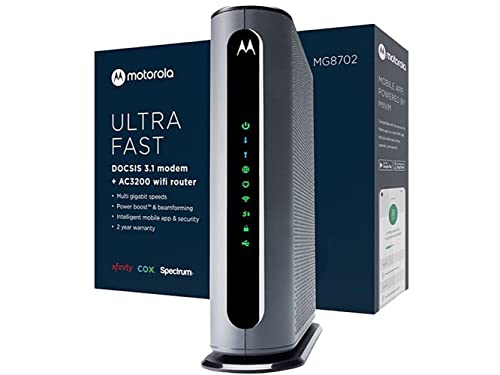
Motorola MG8702
The Motorola MG8702 is a modem router combo that supports DOCSIS 3.1 and provides AC3200 Wi-Fi 5 speeds. It’s an excellent choice for professionals who need a reliable all-in-one solution without the extra cost of Wi-Fi 6. It features four Gigabit Ethernet ports and is compatible with major cable providers.
Pros
- Four Ethernet ports
- Powerful Wi-Fi 5
- Cost effective combo
Cons
- No Wi-Fi 6
- Large footprint
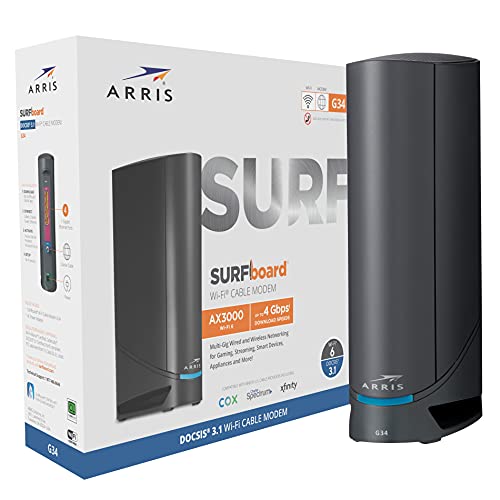
ARRIS Surfboard G30
The ARRIS Surfboard G30 is a cable modem router combo with DOCSIS 3.1 and Wi-Fi 6. It provides combined speeds up to 2.3 Gbps and is a budget-friendly alternative to the Netgear CAX30S. It includes four Gigabit Ethernet ports and is compatible with major ISPs.
Pros
- Lower price for Wi-Fi 6 combo
- Four Ethernet ports
- Good performance for the price
Cons
- No 2.5G Ethernet port
- Some users report setup issues
What matters most
The lineup, side by side
| # | Model | Technology | Best for | Score | Price |
|---|---|---|---|---|---|
| 1 | Netgear Nighthawk CM2000 | DOCSIS 3.1 | Multi-gig internet plans and maximum throughput | 9.4 | Check price |
| 2 | Motorola MB8611 | DOCSIS 3.1 | Budget-friendly multi-gig performance | 9.1 | Check price |
| 3 | Netgear Nighthawk CM1200 | DOCSIS 3.1 | Gigabit plans with link aggregation | 8.9 | Check price |
| 4 | ARRIS Surfboard S33 | DOCSIS 3.1 | Compact multi-gig modem with low power usage | 8.8 | Check price |
| 5 | Netgear Nighthawk CAX30S | DOCSIS 3.1 | All-in-one cable modem with Wi-Fi 6 | 8.7 | Check price |
| 6 | Motorola MG8702 | DOCSIS 3.1 | Gigabit speeds with built-in Wi-Fi 5 | 8.5 | Check price |
| 7 | ARRIS Surfboard G30 | DOCSIS 3.1 | Gigabit cable modem with built-in Wi-Fi 6 | 8.3 | Check price |
Good to know
What is the difference between a modem and a router?
A modem connects your home network to your internet service provider’s network, translating the signal from your ISP. A router distributes that internet connection to multiple devices wirelessly or via Ethernet. Professionals may need both, either as separate units or combined.
Can I use any modem with my internet service?
Not necessarily. Your ISP must approve the modem for use on its network. Check the ISP’s website for a list of compatible modems. Most major cable ISPs support the modems we reviewed, but confirming is crucial to avoid issues.
What is DOCSIS 3.1 and do I need it?
DOCSIS 3.1 is the latest cable internet standard, offering faster speeds and better efficiency. If you have a gigabit or multi-gig internet plan, you need a DOCSIS 3.1 modem to achieve those speeds. For plans under 1 Gbps, DOCSIS 3.0 may suffice, but 3.1 is future-proof.
How many Ethernet ports do I need on a modem?
Most modems have one or two Ethernet ports. If you need to connect multiple wired devices directly, consider a modem with four ports or use a separate switch. Alternatively, a modem router combo often includes more ports.
Is it better to buy a separate modem and router?
Separate devices offer more flexibility, allowing you to upgrade each independently. They often provide better performance and advanced features. Combos are convenient and save space but may limit customization.
What is link aggregation and why is it useful?
Link aggregation combines two Ethernet ports to increase throughput and provide redundancy. It’s useful if you have a multi-gig internet plan but lack a 2.5G port. However, it requires a router that supports link aggregation.
Do professional modems include Wi-Fi?
Some do, like the Netgear CAX30S and Motorola MG8702. Others are standalone modems, requiring a separate router for Wi-Fi. If you prefer a single device, choose a combo; if you want to use your own router, get a modem-only unit.
How do I know if my modem is compatible with my ISP?
Check the manufacturer’s website or the ISP’s approved modem list. You can also call your ISP for confirmation. Using an incompatible modem can result in slow speeds or no connection.
What does the 2.5G Ethernet port do?
A 2.5G Ethernet port supports speeds up to 2.5 Gbps, which is higher than the standard 1 Gbps. It’s essential for multi-gig internet plans to ensure you get full speed through a wired connection.
Are there any monthly fees associated with owning a modem?
No. Owning your modem eliminates the rental fee that ISPs often charge. However, you must ensure it is compatible and you may need to install it yourself, which is straightforward.
Our take
For most professionals, the Netgear Nighthawk CM2000 is the clear winner because it supports multi-gig internet plans and offers a 2.5G Ethernet port, ensuring your connection is future-proof. If you are on a budget, the Motorola MB8611 gives similar performance at a lower cost. For those who prefer an all-in-one solution, the Netgear Nighthawk CAX30S with Wi-Fi 6 is the best choice, but be aware of its limited Ethernet ports.


