Portable Computer Memory Picks for Speed and Reliability
The SanDisk Extreme Pro Portable SSD is our top pick for most users because it combines very fast transfer speeds with rugged build quality, suitable for creators and travelers. Its main limitation is that it can get warm during sustained heavy workloads.
Portable computer memory has evolved far beyond simple USB sticks. Today, you can carry terabytes of data in a device smaller than a smartphone, with speeds that rival internal drives.
We compared seven leading portable drives based on specifications, user reviews, and real-world usage patterns. Whether you need ruggedness for outdoor shoots or compactness for everyday carry, here is a breakdown to help you choose.
What to look for
The best picks, ranked

SanDisk Extreme Pro Portable SSD
The SanDisk Extreme Pro is a high-performance portable SSD that delivers read speeds up to 2000 MB/s, making it ideal for large file transfers. Its IP65 rating and drop resistance up to 3 meters ensure it survives rough handling.
Pros
- Blazing fast transfers
- Rugged and weather-resistant
- Compact design
Cons
- Can get warm under load
- Premium price

Samsung T7 Shield
The Samsung T7 Shield offers IP65 water and dust resistance plus a rubberized exterior that absorbs impacts. It reaches read speeds up to 1050 MB/s and includes AES 256-bit hardware encryption for data security.
Pros
- Excellent protection
- Fast enough for 4K video
- Includes encryption software
Cons
- Not the fastest in class
- Slightly bulky

Crucial X8
The Crucial X8 delivers read speeds up to 1050 MB/s at a more accessible price point. Its anodized aluminum casing provides drop protection up to 2 meters, and it works across multiple devices without reformatting.
Pros
- Great value for speed
- Slim and lightweight
- Compatible with many devices
Cons
- No hardware encryption
- Not waterproof

WD My Passport SSD
The WD My Passport SSD offers read speeds up to 1050 MB/s and comes with WD Discovery software that includes hardware encryption and automatic backup options. Its sleek design is pocket-friendly, and it is available in multiple capacities.
Pros
- Built-in encryption
- Automatic backup software
- Stylish design
Cons
- Software can be intrusive
- Average durability

Kingston XS2000
The Kingston XS2000 is a tiny portable SSD that delivers read speeds up to 2000 MB/s when used with a USB 3.2 Gen 2×2 port. Its rugged design includes an IP55 rating and a rubber sleeve for extra grip.
Pros
- Extremely compact
- Very fast with compatible ports
- IP55 rating
Cons
- Requires Gen 2×2 port for max speed
- May get hot during sustained use

PNY Elite-X
The PNY Elite-X is a USB 3.1 Gen 2 flash drive that offers read speeds up to 400 MB/s and write speeds up to 250 MB/s. It is a cost-effective way to expand storage for documents, photos, and some videos.
Pros
- Very affordable per GB
- No cable needed
- Good for everyday files
Cons
- Slower than SSDs
- Plastic casing feels less durable
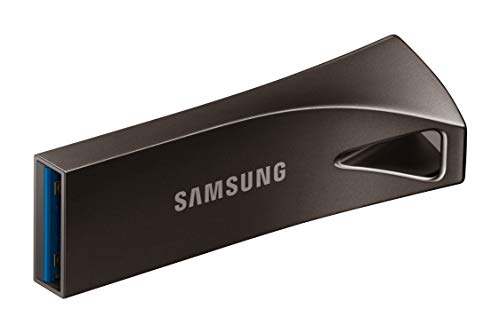
Corsair Flash Survivor Stealth
The Corsair Flash Survivor Stealth is a USB 3.0 flash drive built like a tank. It is waterproof, shockproof, and crushproof, making it ideal for harsh environments. It comes in capacities up to 256GB and offers decent transfer speeds.
Pros
- Extremely durable
- Waterproof and crushproof
- Lanyard included
Cons
- Slower transfer speeds
- Large and bulky
The lineup, side by side
| # | Model | Capacity | Best for | Score | Price |
|---|---|---|---|---|---|
| 1 | SanDisk Extreme Pro Portable SSD | 1TB, 2TB, 4TB | Best overall for speed and durability | 9.4 | Check price |
| 2 | Samsung T7 Shield | 1TB, 2TB, 4TB | Best for outdoor and adventure use | 9.2 | Check price |
| 3 | Crucial X8 | 500GB, 1TB, 2TB | Best budget-friendly portable SSD | 9.0 | Check price |
| 4 | WD My Passport SSD | 1TB, 2TB, 4TB | Best for password protection and software features | 8.8 | Check price |
| 5 | Kingston XS2000 | 500GB, 1TB, 2TB, 4TB | Best for pocket-size high-speed storage | 8.7 | Check price |
| 6 | PNY Elite-X | 256GB, 512GB, 1TB | Best for budget-conscious users needing basic speed | 8.2 | Check price |
| 7 | Corsair Flash Survivor Stealth | 64GB, 128GB, 256GB | Best for extreme ruggedness in a flash drive | 8.0 | Check price |
Frequently asked questions
What is the difference between a portable SSD and a flash drive?
A portable SSD uses solid-state memory and typically has faster read/write speeds, higher capacities, and better durability. A flash drive is smaller and cheaper but usually slower and less robust.
Can I use a portable SSD with my smartphone?
Yes, many portable SSDs support USB-C or USB-A connections and are compatible with Android and iOS devices via the appropriate cable or adapter, though some may require formatting.
How do I know which USB standard my computer supports?
Check your computer’s specifications or look at the port shape and color. USB 3.0 ports are often blue, while USB-C ports may support various standards. The fastest USB standard is USB 3.2 Gen 2×2, which requires a specific port.
Are portable SSDs reliable for long-term storage?
Yes, portable SSDs have no moving parts, making them more reliable than HDDs. However, they can fail over time, so it is recommended to back up important data to multiple locations.
What does IP65 rating mean?
IP65 means the device is fully protected against dust and can withstand low-pressure water jets from any direction. It is not suitable for submersion, but it can handle rain or splashes.
Can I use a portable SSD as a bootable drive?
Yes, you can create a bootable portable SSD with tools like Rufus or Windows Media Creation Tool. This allows you to run an operating system from the drive.
How long do portable SSDs last?
The lifespan is measured in terabytes written (TBW). Most have a TBW that supports several years of daily use. With typical use, a portable SSD can last 5 to 10 years or more.
Do I need to safely eject a portable SSD before unplugging?
Yes, it is recommended to safely eject the drive to ensure all data is written and to avoid corruption, especially if write caching is enabled.
What is the best way to transfer large files quickly?
Use a drive with USB 3.2 Gen 2×2 and ensure your computer has a matching port. Additionally, use high-quality cables and transfer files in batches to maintain speed.
Are there any compatibility issues with macOS and Windows?
Most portable SSDs come formatted with exFAT, which works on both macOS and Windows. If not, you can reformat the drive to a compatible file system like exFAT or NTFS (for Windows only).
The bottom line
For most people, the SanDisk Extreme Pro is the best portable computer memory because it offers a perfect balance of speed, durability, and trust. If you need extra ruggedness for outdoor use, the Samsung T7 Shield is a great alternative. Budget shoppers should consider the Crucial X8, and for those who want a secure option with software features, the WD My Passport SSD is worth a look. Ultimately, choose based on your specific needs, but you cannot go wrong with any of these top performers.
You might also need

Best Portable Monitors for Professionals in 2025: Top Picks

Top Picks for Portable Nintendo Party Games

Compact All in One Computers That Save Space Without Sacrificing Power