POS Receipt Printers Ranked for Speed and Reliability
The Epson TM-T20III is the most dependable all round POS printer for small retail. The Star Micronics TSP143IIIU suits iPad based tills with its USB power passthrough, and the Epson TM-T88VI is the pick for high volume counters that cannot afford downtime.
The Epson TM-T20III is the best POS printer for most small businesses, with the Star Micronics TSP143IIIU leading for tablet based tills and the Epson TM-T88VI built for high volume counters.
Choosing a receipt printer is mostly about compatibility rather than print quality, since a fast printer your till software cannot drive is useless. We compared interface options, published speed and cutter ratings, and what owners report about driver setup with common point of sale platforms.
The top picks, ranked

Epson TM-T20III Thermal Receipt Printer
Epson’s workhorse counter printer prints at up to 250mm per second and supports both 80mm and 58mm paper without extra parts. Driver support is the broadest of any brand, which removes most integration headaches. Owners report years of daily use before the cutter needs attention.
Pros
- Excellent driver and software support
- Fast printing for the class
- Handles two paper widths
Cons
- No wireless in the base model
- Larger footprint than tablet printers

Star Micronics TSP143IIIU Thermal Receipt Printer
The USB variant charges a connected tablet while printing, which keeps an iPad based till running all day from one cable. Star’s software support covers most major cloud point of sale platforms. It also drives a cash drawer directly.
Pros
- Powers a tablet while printing
- Broad cloud till compatibility
- Simple single cable setup
Cons
- USB only on this variant
- 80mm paper only

Epson TM-T88VI Thermal Receipt Printer
The T88 series is the printer you see behind busy counters for good reason, with a high cycle cutter and a very high mean time between failures rating. Ethernet and USB come as standard with wireless available. It costs more, but downtime at a busy till costs more still.
Pros
- Built for continuous heavy use
- Fastest printing here
- Extensive interface options
Cons
- Highest outlay in this group
- Overkill for low volume counters

Star Micronics mPOP Combined Printer and Cash Drawer
The mPOP puts a receipt printer and a cash drawer into a single low profile unit, which suits counters where space is tight and appearance matters. Bluetooth and USB connectivity cover tablets and computers alike. Drawer capacity is smaller than a standard till.
Pros
- Saves significant counter space
- Clean modern appearance
- Bluetooth for tablet tills
Cons
- Smaller drawer than standard tills
- Narrow 58mm receipts only

Bixolon SRP-350plusIII Thermal Receipt Printer
Bixolon delivers speed close to the premium Epson units at a lower outlay, with a splash resistant design that suits food service. Multiple interfaces ship in the box on most configurations. Driver support is good though not quite as universal as Epson’s.
Pros
- High speed for the price
- Splash resistant for food service
- Multiple interfaces included
Cons
- Less universal driver coverage
- Setup documentation is thin
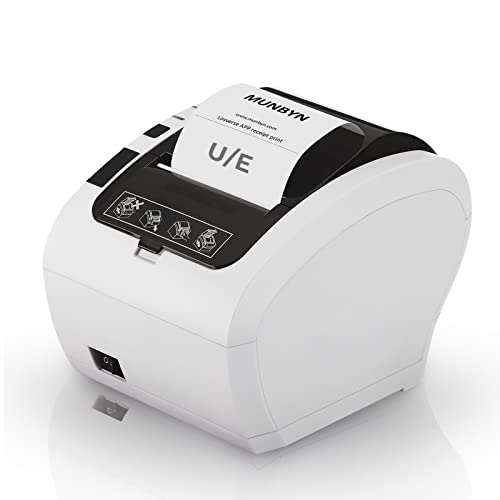
MUNBYN ITPP047 Thermal Receipt Printer
MUNBYN covers the basics of an 80mm counter printer at a fraction of the premium brands, with USB, serial and Ethernet on the standard model. It is a sensible choice for a second till or a market stall. Long term cutter durability is the main compromise.
Pros
- Very low cost for the speed
- Three interfaces as standard
- Responsive brand support
Cons
- Cutter life shorter than premium units
- ESC POS setup needs manual work
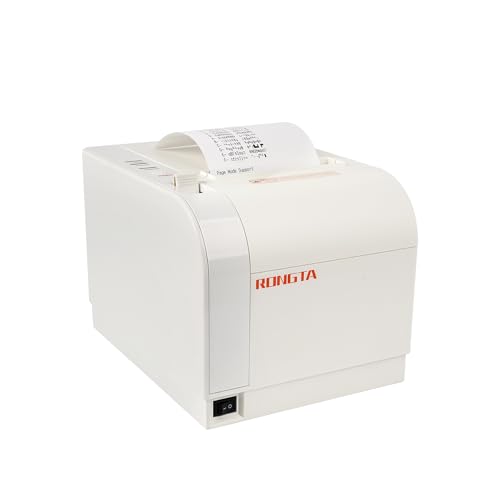
Rongta RP80US Thermal Receipt Printer
A plain ESC POS printer that works well with custom or open source till software where you control the commands directly. Build quality is basic but adequate for moderate volume. Owners report it is easy to get running on Linux based systems.
Pros
- Works well with custom software
- Easy on Linux systems
- Low purchase cost
Cons
- Basic build materials
- Limited vendor support
The lineup, side by side
| # | Model | Print speed | Best for | Score | Price |
|---|---|---|---|---|---|
| 1 | Epson TM-T20III Thermal Receipt Printer | Up to 250mm per second | Best overall | 9.4 | Check price |
| 2 | Star Micronics TSP143IIIU Thermal Receipt Printer | Up to 250mm per second | Best for tablet tills | 9.2 | Check price |
| 3 | Epson TM-T88VI Thermal Receipt Printer | Up to 350mm per second | Best for high volume | 9.0 | Check price |
| 4 | Star Micronics mPOP Combined Printer and Cash Drawer | Integrated printer and drawer | Best all in one counter unit | 8.8 | Check price |
| 5 | Bixolon SRP-350plusIII Thermal Receipt Printer | Up to 300mm per second | Best value for busy counters | 8.6 | Check price |
| 6 | MUNBYN ITPP047 Thermal Receipt Printer | Up to 300mm per second | Best budget pick | 8.3 | Check price |
| 7 | Rongta RP80US Thermal Receipt Printer | Up to 300mm per second | Best for simple ESC POS setups | 8.0 | Check price |
What matters most
Check compatibility with your till software first The single biggest cause of returned receipt printers is a driver that your point of sale platform does not support. Square, Shopify, Lightspeed and Clover all publish hardware compatibility lists. Check yours before comparing print speeds, because an unsupported printer is a paperweight regardless of specification.
Pick the interface that matches your setup USB is simplest for a single computer till. Ethernet is the right choice when several terminals share one printer or the printer sits away from the till. Bluetooth suits tablets, though it introduces pairing issues that a cable never has. Some models offer USB power passthrough for tablets, which removes a charging cable entirely.
Match paper width to your receipts Most retail counters use 80mm paper, which gives room for logos, item lines and barcodes. 58mm is narrower, cheaper to stock and common on compact and mobile printers. Switching later means restocking paper, so decide early and check whether your printer supports both.
Look at cutter ratings and duty cycle The auto cutter is the part that fails first on a receipt printer. Manufacturers publish cutter cycle ratings, and premium units are rated for well over a million cuts. For a counter printing hundreds of receipts a day, that rating matters far more than the difference between 250 and 300mm per second.
Common questions
Do POS printers need special paper?
They use thermal receipt paper, which prints without ink. Match the roll width and diameter to your printer’s specification, and store rolls away from heat and sunlight since thermal paper darkens with both.
Can a receipt printer work with an iPad?
Yes. Look for Bluetooth models or USB units with charging passthrough such as the Star TSP143IIIU. Check that your specific till app lists the printer as supported before buying.
What is ESC POS?
ESC POS is a command language originally created by Epson and now used across most thermal receipt printers. Software that speaks ESC POS can usually drive any compliant printer, which is why it appears on almost every specification sheet.
How fast does a receipt printer need to be?
For most counters anything above 200mm per second prints a standard receipt in a couple of seconds. Speed matters most in high volume settings such as busy cafes and supermarkets where queues build quickly.
Can one printer serve several tills?
Yes, over Ethernet or a network connection. Each terminal sends jobs to the same network address. This is common in restaurants where several order stations feed one kitchen printer.
Do these printers open a cash drawer?
Most include a drawer kick port that triggers the drawer when a receipt prints. Check that the port is present and that your drawer uses a compatible connector, since not all budget models include it.
Is thermal printing permanent?
No. Thermal receipts fade over months or years depending on storage, heat and light exposure. For records that need to last, keep a digital copy rather than relying on the paper.
What maintenance do receipt printers need?
Periodic cleaning of the print head with an alcohol wipe and clearing paper dust from the cutter. Owners report most jams and faded print come from a dirty head or cheap paper rather than a failing printer.
Our pick
The Epson TM-T20III is the safest choice for a small counter, combining broad driver support with a build that keeps working through daily use. Move up to the TM-T88VI if your till runs at volume all day, and choose the Star TSP143IIIU when the till is a tablet and you want a single cable handling both printing and charging.