Which Smart TV Under 1000 Fits Your Living Room
Samsung’s Q60D QLED balances accurate color with a fast Tizen interface for most living rooms. Hisense’s U7N swaps that for a 144Hz panel and dual HDMI 2.1 ports built for console gaming. Budget shoppers get sharp 4K clarity from LG’s UQ7570 without paying for QLED.
Samsung’s Q60D pairs a Quantum Dot panel with Tizen’s fast interface, though its 60Hz refresh rate limits fast gaming. Hisense’s U7N closes that gap with a 144Hz panel and two HDMI 2.1 ports built for consoles. Picture quality and platform speed, not price, separate these seven TVs the most.
Refresh rate and smart platform vary more than price tags suggest below 1000. We compared specifications, HDMI configurations, and owner feedback across seven current 55-inch models to separate real upgrades from marketing terms.
What we recommend

Samsung Q60D QLED 55-Inch
A Quantum Dot layer paired with Samsung’s Tizen hub gives the Q60D richer color than standard LED panels at this price. Built-in Alexa and Bixby handle voice commands without a separate remote. Its 60Hz refresh rate suits movies and sports better than fast-paced gaming.
Pros
- Quantum Dot layer boosts color accuracy over standard LED
- Tizen OS loads apps quickly and supports built-in Alexa
- Slim bezel design suits wall mounting
Cons
- 60Hz refresh limits smoothness in fast-motion gaming
- Edge-lit backlight shows some glow in dark scenes

Hisense U7N 55-Inch
Hisense built the U7N around Mini-LED backlighting and a 144Hz panel, features rare below 1000. Two HDMI 2.1 ports support 4K at 120Hz with variable refresh rate for PS5 and Xbox Series X. Google TV replaces Hisense’s older VIDAA platform here.
Pros
- 144Hz panel and HDMI 2.1 suit current-gen consoles
- Mini-LED backlight improves contrast over edge-lit sets
- Google TV gives access to a wide app library
Cons
- Local dimming can cause slight blooming around bright objects
- Google TV interface shows more on-screen ads than Tizen

TCL Q6 QLED 55-Inch
Dolby Vision and HDR10 both come standard on TCL’s Q6, a QLED panel priced under 1000. Google TV handles the smart platform, matching pricier competitors’ app support. Three HDMI ports leave room for a soundbar, streaming box, and game console at once.
Pros
- Dolby Vision support is uncommon at this price point
- Three HDMI ports cover multiple connected devices
- Google TV interface matches higher-end TCL models
Cons
- 60Hz refresh rate caps smoothness for sports or gaming
- Viewing angles narrow more than premium QLED panels
LG UQ7570 55-Inch
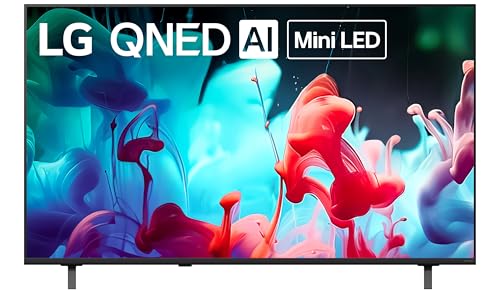
LG skips QLED’s Quantum Dot layer on the UQ7570 to reach a lower price while keeping 4K resolution and webOS. Two HDMI ports cover a basic setup of one streaming device and one console. Color output looks flatter than QLED rivals in bright scenes.
Pros
- Lower price than QLED competitors at the same screen size
- webOS remains one of the fastest smart TV interfaces
- Lightweight panel simplifies wall mounting
Cons
- Color saturation falls short of QLED and Mini-LED panels
- Only two HDMI ports limit simultaneous device connections
Sony X77L 55-Inch
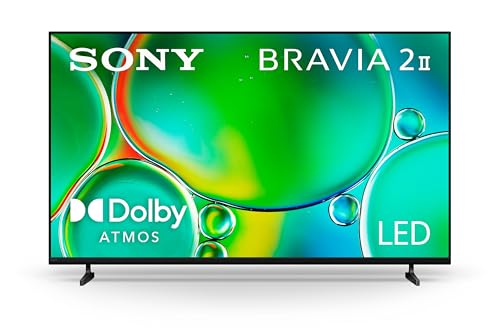
Natural skin tones set the X77L apart, thanks to Sony’s X1 processor and Triluminos Pro color technology. Google TV runs the smart platform, and Dolby Vision handles HDR content from streaming apps. A 60Hz panel targets movie watching over gaming.
Pros
- X1 processor improves upscaling of lower-resolution content
- Triluminos Pro renders skin tones more naturally than rivals
- Google TV integrates with Sony’s Bravia Core app
Cons
- 60Hz refresh rate is not built for fast gaming
- Brightness trails behind Mini-LED competitors in sunlit rooms

Amazon Fire TV Omni QLED 55-Inch
Fire TV runs natively on the Omni QLED, with hands-free Alexa built into the panel instead of the remote. A QLED layer improves color over Amazon’s older Omni Series sets. Smart home owners can view camera feeds or control lights directly from the screen.
Pros
- Hands-free Alexa works without pressing the remote
- Direct integration with Ring and other Alexa smart home devices
- Fire TV interface surfaces content across multiple streaming apps
Cons
- Home screen prioritizes Amazon content and ads
- Refresh rate stays at 60Hz, limiting gaming smoothness

Roku Plus Series 55-Inch QLED
Roku OS runs on the Plus Series QLED, the same interface found on Roku streaming sticks. Menus stay simple and free of the app clutter found on Google TV or Fire TV. A Mini-LED backlight on select sizes improves contrast over standard edge-lit QLED.
Pros
- Roku OS interface stays uncluttered compared to rivals
- Mini-LED backlight adds contrast over standard QLED
- Universal search finds titles across streaming services
Cons
- Fewer picture-adjustment settings than Samsung or Sony menus
- 60Hz refresh rate is not designed for gaming
How they compare
| # | Model | Panel type | Best for | Score | Price |
|---|---|---|---|---|---|
| 1 | Samsung Q60D QLED 55-Inch | QLED with Quantum Dot | Best overall | 9.4 | Check price |
| 2 | Hisense U7N 55-Inch | Mini-LED QLED | Best for gaming | 9.2 | Check price |
| 3 | TCL Q6 QLED 55-Inch | QLED | Best value | 9.0 | Check price |
| 4 | LG UQ7570 55-Inch | LED (non-QLED) | Best budget | 8.6 | Check price |
| 5 | Sony X77L 55-Inch | Sony X1 | Best for color accuracy | 8.8 | Check price |
| 6 | Amazon Fire TV Omni QLED 55-Inch | QLED | Best for smart home integration | 8.4 | Check price |
| 7 | Roku Plus Series 55-Inch QLED | QLED with Mini-LED backlight | Best for streaming simplicity | 8.0 | Check price |
How to choose
What Matters Most Below 1000 Panel technology shapes color and contrast more than resolution at this price point. Every TV here already outputs 4K, so refresh rate, HDR format, and smart platform become the real differentiators. HDMI port count matters once a soundbar, console, and streaming box all need a spot. Daily use often comes down to smart platform choice among Tizen, Google TV, Fire TV, and Roku OS.
QLED, Mini-LED, and Standard LED Compared A Quantum Dot filter is what separates QLED panels from standard LED, boosting color saturation. Mini-LED backlighting adds more dimming zones, improving dark-scene contrast without OLED pricing. LG’s UQ7570 trades some color depth for a lower cost by skipping QLED. None of these seven use OLED, which stays rare below 1000 at 55 inches.
Picking A Smart TV For Console Gaming HDMI 2.1 ports and a refresh rate above 60Hz matter most for console gamers. Hisense’s U7N stands alone here with 144Hz and dual HDMI 2.1 connections. Variable refresh rate and auto low latency mode cut down on screen tearing and input lag. Movie-focused buyers can skip these features and prioritize color accuracy instead.
Matching Screen Size To A Room A 55-inch screen suits viewing distances of roughly seven to nine feet, common in apartment living rooms. Larger 65-inch versions of most models here still fall under 1000 during sales, trading footprint for immersion. Wall-mount compatibility matters more for QLED panels, which run thinner than older LED sets. Measure the entertainment stand first if the TV will sit on furniture rather than a wall.
Questions worth asking
What is the difference between QLED and standard LED TVs?
QLED adds a Quantum Dot filter that widens color range and improves brightness over standard LED backlighting. Standard LED panels, like the LG UQ7570, cost less but show flatter color in bright scenes.
Can you get a 65-inch smart TV under 1000?
Yes, the TCL Q6 and Hisense U7N both offer 65-inch versions that stay under 1000 during regular sales, with picture quality matching their 55-inch counterparts.
Which smart TV platform is best, Roku, Google TV, or Tizen?
Roku OS keeps menus simplest with less ad presence. Google TV offers the widest app library. Tizen, used on Samsung sets, balances speed with built-in Alexa and Bixby support.
Is 60Hz refresh rate enough for gaming?
It works fine for casual and turn-based games but shows more motion blur in fast-paced titles. Competitive or console gamers should look at the Hisense U7N’s 144Hz panel instead.
Do budget TVs under 1000 support Dolby Vision?
Several do. The TCL Q6, Sony X77L, and Amazon Fire TV Omni QLED all include Dolby Vision alongside standard HDR10 support.
How many HDMI ports does a smart TV need?
Three ports cover most setups with a soundbar, streaming device, and game console connected at once. The TCL Q6 offers three, while the Samsung Q60D and LG UQ7570 include only two.
Are Mini-LED TVs worth it under 1000?
Mini-LED backlighting improves contrast and reduces blooming compared to standard edge-lit QLED. The Hisense U7N and Roku Plus Series both use it at this price, making the upgrade worth considering.
What size TV fits a small living room?
A 55-inch screen suits rooms with seven to nine feet of viewing distance. Smaller apartments may prefer a 50-inch set where available, though this comparison focuses on 55-inch models for consistency.
QLED vs Mini-LED, which matters more for picture quality?
QLED widens color range through its Quantum Dot filter, while Mini-LED improves contrast through more precise backlight dimming. The Hisense U7N combines both, which is why it scores highest on picture quality here.
Final word
Samsung’s Q60D QLED earns the overall recommendation for its color accuracy, fast Tizen interface, and built-in voice assistants. Console gamers running a PS5 or Xbox Series X should pick the Hisense U7N instead, since its 144Hz panel and HDMI 2.1 ports solve problems the Q60D cannot. Buyers who only stream movies and want to spend less can rely on the LG UQ7570, though gamers should avoid it given its 60Hz cap and two-port limit.