SUV Dash Cams with Wireless Transfer: Our Top Picks
The VIOFO A139 Pro is our top pick for wireless SUV dash cams. It offers crisp 4K front video, a handy wireless remote, and reliable app transfer. Its main limitation is the higher price compared to 2K models.
Wireless dash cams for SUVs eliminate the hassle of tangled cables and SD card juggling. They let you transfer clips to your phone over Wi-Fi or Bluetooth, making it easy to share footage or save evidence. SUVs often have larger windshields and higher seating positions, so a dash cam with a wide angle and good night vision is key.
We compared seven popular wireless models that fit SUVs. Our picks range from budget-friendly 1080p options to premium 4K front and rear systems. We based our comparisons on specifications, owner reviews, and known performance traits. Read on to find the one that fits your driving habits.
Our top picks
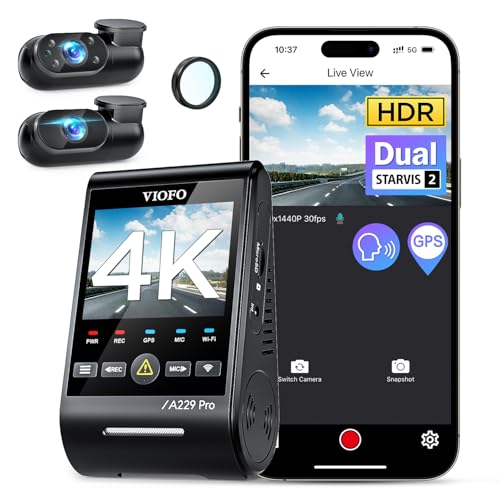
VIOFO A139 Pro 3 Channel 4K HDR Dash Cam
The VIOFO A139 Pro is a 3 channel system with a 4K front camera, 1080p interior, and 1080p rear. It uses the Sony STARVIS 2 sensor for excellent low light capture. Its built in Wi-Fi allows fast app preview and download. The wireless remote control lets you save clips with a press. SUV owners report clear footage on bumpy roads thanks to its sturdy mount and capacitor based power.
Pros
- Excellent night time clarity
- Three channels cover front, cabin, and rear
- Wireless remote for instant clip saving
Cons
- Higher price than 2K models
- App can be finicky on older phones

Garmin Dash Cam 67W
The Garmin Dash Cam 67W is a small single front cam with 1440p resolution. It has a 180 degree field of view, so it sees more of the road and sidewalks. Wireless transfer is via the Garmin Drive app, which also supports live view and alerts. Owners like its voice control and simple magnetic mount. It is not a multi channel system, but for basic front coverage in an SUV it is reliable.
Pros
- Very wide field of view
- Magnetic mount for easy removal
- Voice commands to save video
Cons
- No rear camera option
- Requires separate purchase for parking mode cable

Thinkware U1000 4K UHD 2 Channel Dash Cam
The Thinkware U1000 is a premium 2 channel dash cam with 4K front and 2K rear. It is known for its advanced parking mode that includes cloud connectivity when paired with an OBD adapter. That cloud service allows remote live view and alerts. Wireless transfer to the Thinkware app is smooth. SUV owners appreciate the energy saving parking mode and the ability to monitor while parked.
Pros
- Top tier video clarity
- Cloud features for remote monitoring
- Robust parking mode with buffered motion
Cons
- Expensive with additional hardware
- Cloud subscription required for full features
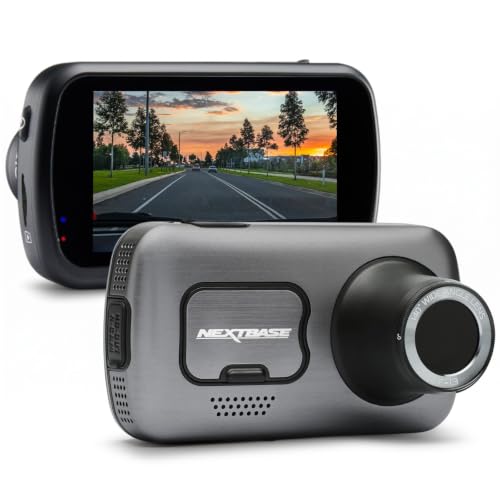
Nextbase 622GW
The Nextbase 622GW records in 4K at 30fps with built in image stabilization. It has a touchscreen and uses the MyNextbase Connect app for wireless transfer. It also features emergency SOS that can send your location if it detects a crash. Owners report clear footage and a user friendly interface. It is a single channel cam, but you can add a rear camera module.
Pros
- Superb image stabilization
- Built in touchscreen for easy control
- Emergency SOS feature
Cons
- Rear camera sold separately
- Some users find the app slow
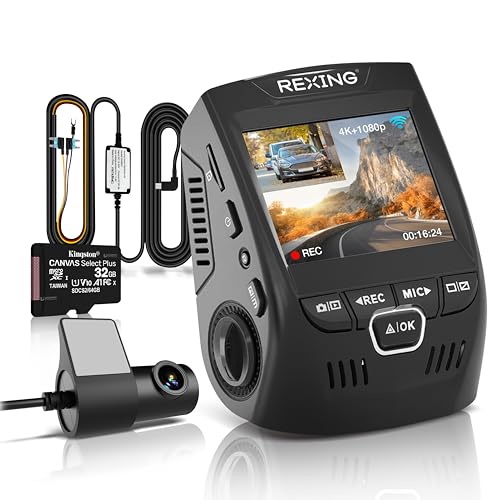
Rexing V1P 4K Ultra HD 2.4GHz Front and Rear Dash Cam
The Rexing V1P offers 4K front and 1080p rear video at a budget friendly price. It has a built in Wi-Fi for wireless app control and file transfer. The Sony sensor provides decent low light performance. It lacks some premium features like GPS and parking mode, but for basic reliable recording it is a solid choice. SUV owners like the easy suction mount and compact size.
Pros
- Affordable 4K dual cam
- Simple setup and operation
- Good daytime clarity
Cons
- No parking mode included
- No GPS built in
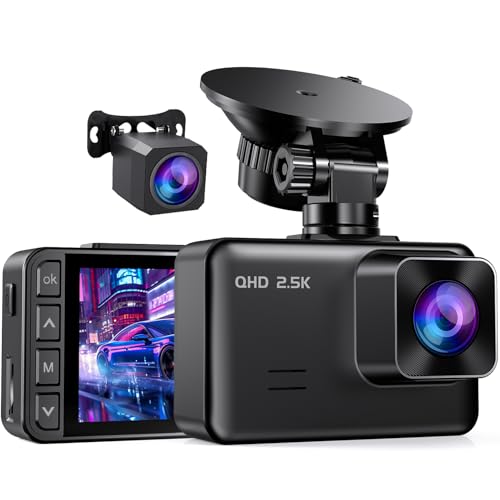
AUKEY Dash Cam DR02 D Dual 1080P Front and Rear
The AUKEY DR02 D is a dual channel dash cam that records 1080p front and rear. It has a 140 degree front view and 120 degree rear view. It includes Wi-Fi for viewing and downloading clips on the AUKEY Dash Cam app. The camera is known for its reliability and easy setup. Owners report that the app is basic but functional. This is one of the most affordable ways to get front and rear coverage.
Pros
- Very affordable dual camera
- Reliable performance
- Small footprint
Cons
- Lower resolution than 4K competitors
- App could be more polished

VIOFO A129 Plus Duo
The VIOFO A129 Plus Duo records front and rear in 2K (2560×1440) at 60fps. It has built in Wi-Fi for wireless transfer and a super capacitor for heat resistance. It includes a polarizing filter to reduce glare. Parking mode is available with an optional hardwire kit. Owners appreciate the crisp video and the ability to adjust settings easily via the app.
Pros
- High frame rate for smooth video
- Great value for dual 2K
- CPL filter included
Cons
- No interior camera option
- Parking mode cable not included
How they compare
| # | Model | Front camera | Best for | Score | Price |
|---|---|---|---|---|---|
| 1 | VIOFO A139 Pro 3 Channel 4K HDR Dash Cam | 4K UHD (2160p) | Best overall | 9.4 | Check price |
| 2 | Garmin Dash Cam 67W | 1440p (2560×1440) | Compact and easy to use | 9.0 | Check price |
| 3 | Thinkware U1000 4K UHD 2 Channel Dash Cam | 4K UHD | Parking surveillance | 9.2 | Check price |
| 4 | Nextbase 622GW | 4K at 30fps | Image stabilization and app integration | 8.8 | Check price |
| 5 | Rexing V1P 4K Ultra HD 2.4GHz Front and Rear Dash Cam | 4K (2160p) | Budget 4K dual channel | 8.5 | Check price |
| 6 | AUKEY Dash Cam DR02 D Dual 1080P Front and Rear | 1080p Full HD | Simple dual channel on a budget | 8.0 | Check price |
| 7 | VIOFO A129 Plus Duo | 2K QHD at 60fps | Balanced features and price | 8.7 | Check price |
Before you buy
Good to know
Are wireless dash cams truly wireless?
No, they still need power. ‘Wireless’ only refers to the data transfer to your phone. The camera connects to the car’s power outlet or fuse box via a cable.
What is the difference between 2.4GHz and 5GHz Wi-Fi in dash cams?
5GHz offers faster data transfer, which is beneficial for downloading large 4K files. 2.4GHz has a longer range but slower speed. Most modern dash cams support both.
Can I use a wireless dash cam without an SD card?
Some models have built in storage, but most require a microSD card for recording. Wireless transfer allows you to offload clips to your phone, but the card is still essential.
Do all dash cams have parking mode?
No. Parking mode is a feature that lets the camera record while your car is off. It often requires a hardwire kit to tap into the car’s battery. Check the product specifications.
How do I ensure my dash cam captures clear night footage?
Look for a camera with a Sony STARVIS sensor or similar low light technology. Also, use a high quality SD card and keep the lens clean. Some models have HDR to balance bright headlights.
Can I install a dash cam myself in an SUV?
Yes, most dash cams are designed for DIY installation. However, if you want parking mode with hardwiring, you may need to use a fuse tap, which can be tricky. Many owners choose professional installation for that.
What is the best placement for a dash cam in an SUV?
You should place it behind the rearview mirror, slightly to the passenger side, so it does not obstruct your view. Ensure it has a clear view of the road and adjust the angle to cover both lanes.
Do dash cams drain the car battery?
Most dash cams draw little power when the car is running. In parking mode, they can drain the battery if left for long periods. Many models have a voltage cutoff to prevent over discharge. Hardwire kits with low voltage protection are recommended.
Can I connect multiple dash cams to one app?
Some apps allow you to manage multiple cameras, but you can only connect to one at a time. You may need to switch between them in the app settings.
What should I do if the app does not connect?
Make sure your phone’s Wi-Fi is turned on and you are connecting to the dash cam’s network. Turn off mobile data if necessary. Reset the camera’s Wi-Fi and try again. Also, update the app and camera firmware.
Our take
For most SUV owners, the VIOFO A139 Pro is the best choice because it offers superb video quality, multiple channels, and reliable wireless transfer. If you are on a budget, the AUKEY DR02 D is a great entry point. If parking security is your top concern, the Thinkware U1000 with its cloud features is worth the investment, but be aware of the extra costs.