Top All in One Computers for Professional Work
The Apple iMac 24 inch M3 is the top pick for most professionals due to its stunning display and powerful M3 chip, but it lacks upgradeability and has limited ports. For Windows users needing flexibility, the Dell Inspiron 27 7720 AIO offers a solid balance of performance and value.
All in one computers (AIOs) are popular for professionals who value a clean workspace and easy setup. They combine the monitor and computer into one unit, reducing cable clutter and saving space.
Choosing the right AIO depends on your workflow. Creative pros need color accurate displays and powerful GPUs, while analysts may prioritize multi core CPUs and large memory. We compared top models to find the best fit for various professional tasks.
Our top picks

Apple iMac 24 inch M3
The redesigned iMac features the M3 chip, delivering exceptional performance for photo and video editing. Its 4.5K Retina display is vibrant and accurate, covering the P3 wide color gamut. The slim design and seven color options make it a stylish addition to any workspace. However, it offers limited ports and no user upgradeability.
Pros
- Outstanding display quality and color accuracy
- Fast and efficient M3 chip for demanding tasks
- Sleek, space saving design
Cons
- Limited port selection
- Non upgradeable RAM and storage
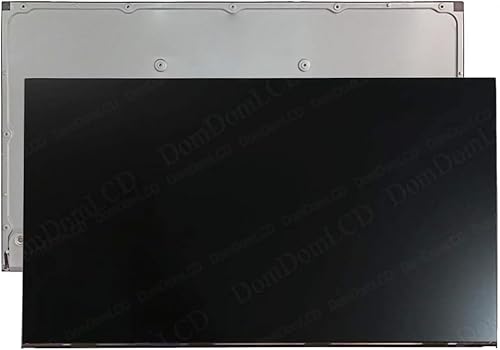
Dell Inspiron 27 7720 AIO
The Dell Inspiron 27 7720 offers a spacious 27 inch FHD display with slim bezels and a comfortable webcam. Powered by 13th Gen Intel Core processors, it handles multitasking and business applications with ease. It includes a pop up webcam with privacy shutter and dual microphones for clear video conferencing.
Pros
- Large, clear display with thin bezels
- Pop up webcam for privacy
- User upgradeable memory and storage
Cons
- Full HD resolution not as sharp as 4K
- Integrated graphics only, not for heavy 3D work
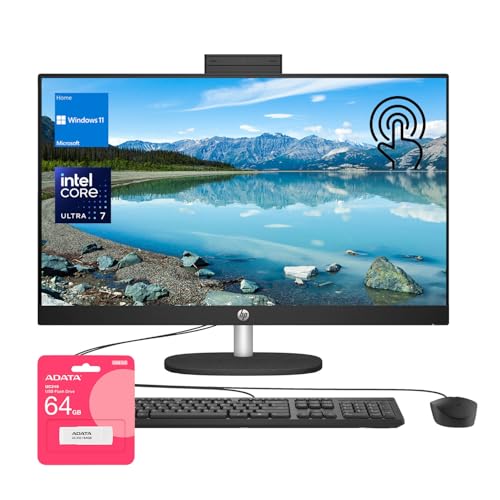
HP Envy 34 All in One
The HP Envy 34 features a striking 34 inch curved WUHD display with a 21:9 aspect ratio, giving you ample screen space for spreadsheets, timelines, and code. It is powered by Intel Core i7 processors and includes an IR camera for Windows Hello. The built in speakers by Bang and Olufsen deliver impressive audio.
Pros
- Immersive curved ultra wide display
- Powerful performance with Intel i7
- Premium audio quality
Cons
- Large footprint requires desk space
- Expensive

Lenovo IdeaCentre AIO 5i
The Lenovo IdeaCentre AIO 5i comes with a 27 inch QHD display and a retractable webcam with dual microphones and privacy shutter. It is configured with Intel Core i5 processors and ample storage, making it suitable for everyday business tasks. The clean design and cable management keep your desk organized.
Pros
- Sharp QHD resolution
- Retractable webcam with privacy shutter
- Clean, professional design
Cons
- Limited CPU options
- No discrete GPU option

Microsoft Surface Studio 2+
The Surface Studio 2+ is a premium AIO with a 28 inch PixelSense touch display that can be angled down to a studio mode for drawing and design. It is powered by an Intel Core i7 processor and a GeForce RTX 3060 GPU, handling creative software beautifully. The zero gravity hinge is a marvel of engineering.
Pros
- Exceptional touch display with pen support
- Flexible hinge for drawing and presentation
- Included Slim Pen 2
Cons
- Very expensive
- Older processor compared to competitors

HP Pavilion 27 All in One
The HP Pavilion 27 provides a solid balance of price and features. It includes a 27 inch FHD display, AMD Ryzen 5 processor, and a pop up webcam. While it lacks the performance of higher end models, it handles everyday office tasks and light multitasking efficiently. The design is modern and space saving.
Pros
- Attractive price point
- Pop up webcam for privacy
- Compact design
Cons
- Integrated graphics only
- Storage is limited

Dell OptiPlex 7410 All in One
The Dell OptiPlex 7410 is built for business, offering robust security features and easy serviceability. It comes with Intel vPro technology and a range of ports including USB C and DisplayPort. The 23.8 inch FHD display is sufficient for office tasks, and the optional touchscreen is available.
Pros
- Enterprise grade security with vPro
- Tool less access for easy upgrades
- Multiple mounting options
Cons
- Smaller display size
- Average audio quality
How they compare
| # | Model | Processor | Best for | Score | Price |
|---|---|---|---|---|---|
| 1 | Apple iMac 24 inch M3 | Apple M3 chip with 8 core CPU | Creative professionals and Mac enthusiasts | 9.4 | Check price |
| 2 | Dell Inspiron 27 7720 AIO | 13th Gen Intel Core i5 1335U | Windows users seeking a versatile AIO for office tasks | 9.0 | Check price |
| 3 | HP Envy 34 All in One | Intel Core i7 12700 | Professionals needing a wide screen for multitasking | 8.8 | Check price |
| 4 | Lenovo IdeaCentre AIO 5i | Intel Core i5 1235U | Business users who want a reliable AIO with built in conferencing features | 8.6 | Check price |
| 5 | Microsoft Surface Studio 2+ | Intel Core i7 11370H | Designers and artists who need touch and pen input | 9.2 | Check price |
| 6 | HP Pavilion 27 All in One | AMD Ryzen 5 7530U | Budget conscious professionals needing a reliable AIO | 8.2 | Check price |
| 7 | Dell OptiPlex 7410 All in One | Intel Core i5 13500 vPro | Enterprise environments requiring manageability and security | 8.5 | Check price |
How to pick the right one
Good to know
What is the best all in one computer for graphic design?
For graphic design, the Apple iMac 24 inch M3 and Microsoft Surface Studio 2+ are top choices. They offer excellent color accuracy and high resolution displays. The Surface Studio 2+ supports touch and pen input, which is great for illustration.
Are all in one computers good for video editing?
Yes, many AIOs are suitable for video editing, especially those with powerful processors and dedicated graphics cards. The Apple iMac M3 excels at video editing due to its optimized hardware and software. Models with discrete GPUs like the Surface Studio 2+ also perform well.
Can I upgrade the RAM in an all in one computer?
It depends on the model. Some AIOs like the Dell Inspiron 27 and HP Envy 34 allow user access to memory slots, while others like the Apple iMac have soldered RAM that is not upgradeable. Check the specifications before purchasing if upgradeability is important.
Do all in one computers have good speakers?
Many modern AIOs include quality speakers. For example, the HP Envy 34 has Bang and Olufsen speakers, while the Apple iMac has a six speaker system. However, for professional audio work, external speakers or headphones are recommended.
Are all in one computers portable?
No, AIOs are designed to stay in one place. They combine the monitor and computer, making them heavier and less portable than laptops. If you need to move between locations, consider a laptop or a mini PC.
What is the ideal screen size for a professional AIO?
Screen size depends on your work. A 24 to 27 inch display is common for office tasks. For multitasking and creative work, a larger screen like 32 inches or an ultra wide 34 inch can be beneficial. Consider your desk space and viewing distance.
Do all in one computers support multiple monitors?
Yes, most AIOs have video outputs such as HDMI or DisplayPort that allow you to connect an external monitor. Some models support multiple monitors, expanding your workspace. Check the ports and graphics capabilities for specifics.
How long do all in one computers last?
With proper care, an AIO can last 5 to 7 years or more. The lifespan depends on the build quality and your usage. Upgrading RAM and storage can extend usability, but the processor and other components may become outdated over time.
The verdict
For most professionals, the Apple iMac 24 inch M3 is the clear winner, offering top notch performance and display quality for creative work. If you prefer Windows and need a balance of performance and price, the Dell Inspiron 27 7720 is an excellent choice. For enterprise users, the Dell OptiPlex 7410 provides security and manageability. Choose based on your operating system preference and budget.


