Home Theater Projectors Compared for Brightness and Size
The Epson Home Cinema 2350 leads for balanced brightness and easy setup in most living rooms. The BenQ HT2050A stays the value pick for a dedicated dark room. The Anker Nebula Cosmos Laser 4K suits buyers who want streaming and speakers built into one box.
Room lighting decides more here than resolution does. The Epson Home Cinema 2350 fits the widest range of rooms, the BenQ HT2050A remains the value choice for a dark dedicated space, and the Anker Nebula Cosmos Laser 4K bundles streaming and speakers into one unit.
A huge lumen number on a spec sheet can hide poor contrast or clunky menu software, which is what makes projector shopping tricky. We leaned on published specifications, owner feedback about real room brightness, and how each model handles ambient light and gaming lag to rank the seven below.
Our top picks

Epson Home Cinema 2350
3LCD technology pushes enough brightness here to survive some ambient light without color shifting. Built-in Android TV skips the need for a separate streaming box. A generous zoom range makes placement forgiving in most living rooms, not just purpose built theater spaces.
Pros
- Strong color brightness
- Android TV included
- Flexible placement zoom
Cons
- Native 1080p, not true 4K
- No lens shift
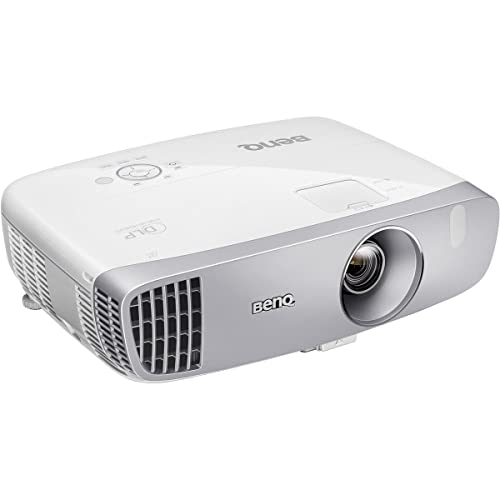
BenQ HT2050A
Enthusiasts have favored this model for years for one reason: a dedicated dark room makes its contrast shine. Input lag sits near 16 milliseconds, low enough for casual gaming. Vertical lens shift lets owners dial in a clean image without moving the whole unit.
Pros
- Low input lag for gaming
- Vertical lens shift
- Accurate out of box
Cons
- Struggles in bright rooms
- Only 1080p

Anker Nebula Cosmos Laser 4K
A laser light source folds true 4K resolution, autofocus and decent built-in speakers into a single chassis. Owners who do not want a separate media box or sound system get the convenience payoff. Higher price and an occasionally sluggish smart platform are the trade-offs.
Pros
- True 4K resolution
- Fast auto setup
- Capable built-in audio
Cons
- Smart platform can lag
- Higher price bracket

BenQ TK700STi
Console and PC gamers get 4K at 60Hz and 1080p at 120Hz with input lag near 16 milliseconds at each. A short throw lens fills a large image from a tight distance, which suits smaller rooms. Contrast stays average and the fan gets audible under load.
Pros
- Very low input lag
- Short throw placement
- Sharp 4K detail
Cons
- Average contrast
- Fan noise under load

Optoma HD146X
No smart features and no lens shift keep the price down while brightness stays high for the money. Plug and play setup suits buyers who just want a big picture fast. A low input lag mode is included despite the low price.
Pros
- Very bright for the price
- Easy plug and play
- Low input lag mode
Cons
- No lens shift
- No built-in apps
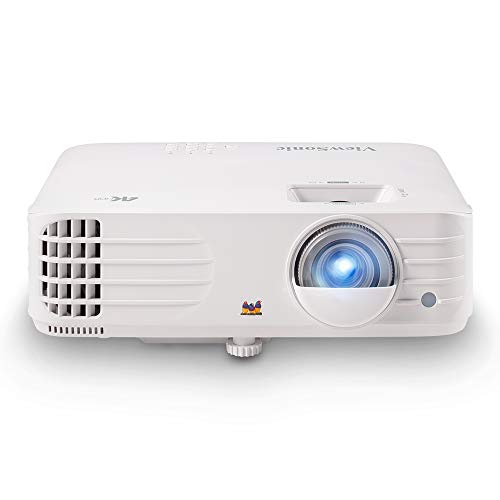
ViewSonic PX701-4K
True 4K resolution becomes affordable here without demanding a dedicated dark room, since brightness stays high enough for mixed lighting. Contrast is traded for that lower price, which suits a first upgrade from a 1080p unit. A low-latency mode covers casual gaming too.
Pros
- Real 4K for less
- Bright enough for evenings
- Decent gaming lag
Cons
- Contrast is modest
- No lens shift
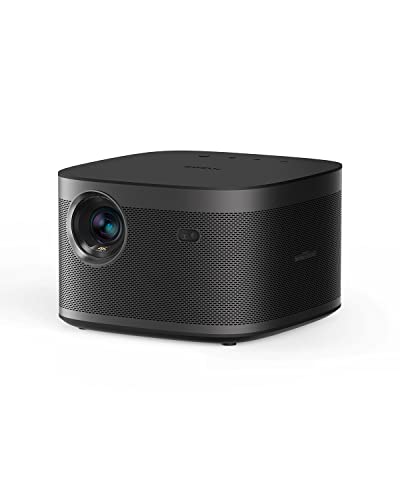
XGIMI Horizon Pro
A cube shaped chassis with autofocus and auto keystone suits owners who move the projector between rooms often. Android TV handles streaming without extra hardware. Image accuracy and brightness both trail rivals, a fair trade for the convenience and compact looks.
Pros
- Fast automatic setup
- Neat compact design
- Built-in streaming
Cons
- Dimmer than rivals
- Licensing gaps on some apps
Side by side
| # | Model | Resolution | Best for | Score | Price |
|---|---|---|---|---|---|
| 1 | Epson Home Cinema 2350 | 1080p (accepts 4K) | Best overall | 9.4 | Check price |
| 2 | BenQ HT2050A | 1080p | Best value | 9.2 | Check price |
| 3 | Anker Nebula Cosmos Laser 4K | 4K | Best all-in-one | 9.0 | Check price |
| 4 | BenQ TK700STi | 4K | Best for gaming | 8.8 | Check price |
| 5 | Optoma HD146X | 1080p | Best budget | 8.5 | Check price |
| 6 | ViewSonic PX701-4K | 4K | Best entry 4K | 8.3 | Check price |
| 7 | XGIMI Horizon Pro | 4K | Best portable smart | 8.0 | Check price |
How to choose
How many lumens does your room actually need? Lumen numbers only mean something in context. A dedicated dark room can look excellent around 2000 lumens, while a living room with lamps and windows often wants 3000 or more. Prioritize brightness and an ambient-light-rejecting screen over raw resolution if you cannot fully control the light.
Why contrast decides how cinematic the image feels Two projectors sharing a resolution can still look very different because of contrast. Higher native contrast produces deeper blacks and more depth, which is why a good 1080p unit in a dark room can beat a cheap 4K model. Owner comments about black levels are more trustworthy than stated contrast ratios, which manufacturers measure generously.
Placement and throw distance Throw ratio tells you how large the image gets at a given distance from the screen. Short-throw models fill a big picture from close up, helping small rooms, while standard-throw units need more depth to work with. Lens shift and zoom make mounting far more forgiving when the projector cannot sit exactly where the math wants it.
What gamers should check before buying Look for a low-latency mode and published input lag near 16 milliseconds if gaming matters. Several home theater projectors now hit that mark at 1080p or 4K/60, and some add 1080p at 120Hz. High lag is very noticeable in fast games, so treat this spec as a requirement rather than a nice extra.
Common questions
Do I need a screen or can I project on a wall?
A smooth white or light gray wall works to get started, but a proper screen improves brightness uniformity, color and perceived contrast. Ambient-light-rejecting screens make a large difference in rooms that cannot be fully darkened.
Is 4K worth it over 1080p for home theater?
In a dark room with a large screen, 4K adds visible detail worth paying for. In a bright room or at smaller screen sizes, a brighter 1080p projector with good contrast often looks better overall. Match the choice to your actual space.
How many lumens do I need for a home theater projector?
Roughly 2000 lumens is plenty for a dark dedicated room. A living room with some ambient light wants 3000 lumens or more, paired with a screen that rejects that light.
Can a home theater projector handle daylight viewing?
Most models look washed out in direct daylight and perform best after dusk or with blinds closed. True daytime viewing realistically needs a very bright model plus an ambient-light-rejecting screen.
Are built-in projector speakers good enough for movies?
Built-in speakers on units like the Nebula Cosmos work for casual viewing, but a soundbar or receiver setup is a big step up for film. Treat internal audio as a convenience rather than a replacement for real speakers.
Lamp vs laser: which light source lasts longer?
Lamp projectors cost less upfront but need bulb replacement after a few thousand hours of use. Laser models cost more initially yet typically run tens of thousands of hours with steadier brightness, which can work out cheaper over time.
Will a home theater projector work well for gaming?
Yes, several models here offer low-latency modes near 16 milliseconds of input lag. Confirm that spec plus support for your target resolution and refresh rate, and enable the game or fast mode in the projector’s menu.
How far should a projector sit from the screen?
Distance depends entirely on the throw ratio and screen size chosen. Short-throw units sit close to the screen, while standard-throw units need more room to work with. Use the manufacturer’s projection calculator with your screen width before mounting anything.
What is the difference between a home theater and a portable projector?
Home theater projectors prioritize brightness, contrast and connectivity for a fixed setup, often at the cost of size and weight. Portable models like the XGIMI Horizon Pro trade some image quality for auto setup features and a compact chassis that moves between rooms easily.
Short throw vs standard throw: which suits a small room?
Short throw projectors fill a large image from close to the screen, which suits tight rooms where a standard unit would need to sit too far back. Standard throw models generally offer more zoom flexibility once there is enough distance to work with.
Final word
For most rooms the Epson Home Cinema 2350 remains the safest choice thanks to its brightness and flexible setup, while the BenQ HT2050A stays the value pick for anyone with a dark, dedicated space. Buyers who want streaming and sound in one box should look at the Anker Nebula Cosmos Laser 4K, which trades a little accuracy for real convenience.



