Reading Pen or Wand Scanner: Which One Actually Fits You?
C-Pen Reader 2 leads for most readers, since it speaks printed text aloud without any phone pairing step. Scanmarker Air pulls ahead for language learners through built-in translation, while IRISPen Air 8 suits office workers who need scanned text inserted straight into documents. Budget shoppers should consider C-Pen 20 instead.
C-Pen Reader 2 works well for most people who just want text read aloud, since it starts speaking the moment its tip touches a printed line. No pairing or app install comes before that first page gets read. Built-in language support stays limited without extra packs, and Scanmarker Air or IRISPen Air 8 fit buyers who need translation or direct-to-app scanning instead.
Manufacturers rarely publish OCR accuracy numbers, and reading speed depends heavily on font size, spacing and lighting. We ranked these seven pens by published language support, battery life, connectivity and output format, then weighed that against problems owners report after regular use.
What we recommend

C-Pen Reader 2 Reading Pen
A tip sensor scans one printed line at a time and speaks it through a built-in speaker or headphone jack. Nothing needs installing or pairing before the first page gets read. Owners report the strongest results on textbooks, mail and clearly printed forms.
Pros
- Works standalone without any companion app
- One-button operation suits any age
- Built-in dictionary explains unfamiliar words
Cons
- Reads printed English text only
- Struggles with handwriting or glossy pages
Scanmarker Air Pen Scanner
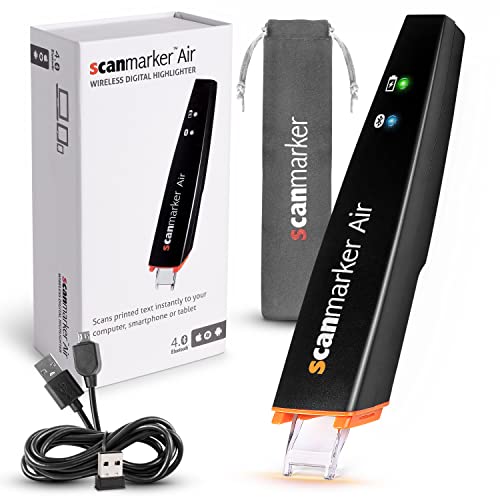
Dragging the tip across a line sends the text over Bluetooth to a paired phone or laptop. A companion app translates the result into dozens of languages and reads it back aloud. Language learners get pronunciation help without typing a single word.
Pros
- Translates and speaks foreign text instantly
- Works across Windows, Mac, iOS and Android
- Exports scanned lines into word documents
Cons
- Requires a paired device to function
- Bluetooth setup adds a step over wired rivals
IRISPen Air 8 Wireless Scanning Pen
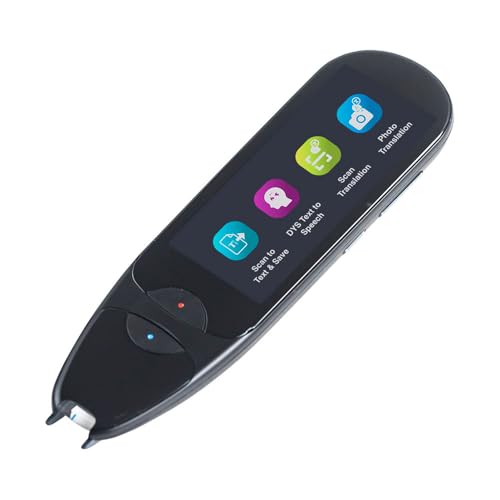
Text scanned by the tip lands directly at the cursor inside Word, Excel or an email draft. No separate scanning window opens on screen at any point. Contracts, invoices and reports move from paper to editable text in one pass.
Pros
- Drops scanned text straight into open documents
- Skips any dedicated scanning software window
- Adds useful translation for foreign correspondence
Cons
- Costs more than single-purpose reading pens
- Accuracy drops on small or stylised fonts

VuPoint Magic Wand Portable Scanner
This wand glides across a whole page or receipt instead of reading single lines, saving the image to a microSD card. No nearby device needs to run during the scan itself. Photos, receipts and full pages all fit within its capture width.
Pros
- Captures full pages rather than single lines
- Saves scans without a nearby computer
- Handles photos as well as documents
Cons
- Lacks any text-to-speech or translation feature
- Keeping the wand straight takes practice

IRIScan Book 5 Wifi Portable Scanner
A wider capture head handles textbook pages and printed handouts in one pass, saving files as JPEG or searchable PDF. The Wifi version sends scans straight to a phone app between classes. Internal memory holds hundreds of pages before a transfer is needed.
Pros
- Captures whole textbook pages in one pass
- Wifi transfer skips cables between devices
- Expandable storage covers a full semester
Cons
- Bulkier than a single-line reading pen
- No built-in read-aloud function

C-Pen ExamReader
Built to meet exam board accessibility rules, this pen reads printed questions aloud with no dictionary, storage or wireless connection to raise cheating concerns. Students with dyslexia or reading difficulties get support without breaching exam conditions. Invigilators can check compliance at a glance.
Pros
- Cleared for use under exam conditions
- Carries no stored data or lookup tools to misuse
- Simple enough for stressed exam day use
Cons
- Lacks any translation or dictionary support
- Limited to reading text aloud only

C-Pen 20 Reading Pen
A pared-back version of C-Pen’s reading pens skips the dictionary and language packs to keep setup simple. One line at a time gets read aloud through the headphone jack. Younger readers and anyone wanting the basics benefit most from the lower entry cost.
Pros
- Costs less than full-feature reading pens
- Simple enough for young readers
- Pocket-sized and lightweight
Cons
- Lacks any built-in dictionary lookup
- No translation or app connectivity
What matters most
What a pen scanner actually does Two different device types share this name. A reading pen scans one line of text and speaks it aloud through a speaker or headphones. A wand scanner captures a full page or receipt as an image, saving it to a memory card or app instead of reading it aloud. Deciding which job matters more comes before comparing any spec sheet.
Reading pen or wand scanner: which fits the job Anyone who needs text read aloud, such as a struggling reader or someone with low vision, wants a line-scanning reading pen. Anyone digitizing receipts, textbook pages or forms wants a wand scanner instead, since it preserves the full layout rather than converting text to speech. Buying the wrong type is the most common regret among first-time owners.
Choosing a pen scanner for students and language learners Translation support and Wifi transfer matter most for this group. A model that sends scans straight to a phone app saves time between classes, and built-in translation turns a foreign textbook passage into spoken English on the spot. Storage capacity also counts, since a full semester of notes adds up fast.
What matters for accessibility and exam use Exam boards restrict which reading pens students can bring into a test, usually banning any dictionary lookup, stored data or wireless connection. A standalone pen with speech output only meets those rules, while a Bluetooth translating pen typically does not. Checking exam board guidance before buying avoids a device that gets confiscated on test day.
How they compare
| # | Model | Reading method | Best for | Score | Price |
|---|---|---|---|---|---|
| 1 | C-Pen Reader 2 Reading Pen | Line-by-line optical scan | Best overall | 9.4 | Check price |
| 2 | Scanmarker Air Pen Scanner | Bluetooth to phone, tablet or computer | Best for language learning | 9.2 | Check price |
| 3 | IRISPen Air 8 Wireless Scanning Pen | Bluetooth wireless pairing | Best for professionals/office use | 9.0 | Check price |
| 4 | VuPoint Magic Wand Portable Scanner | Full page and receipt width | Best value | 8.8 | Check price |
| 5 | IRIScan Book 5 Wifi Portable Scanner | Full-page wand, book-safe design | Best for students | 8.6 | Check price |
| 6 | C-Pen ExamReader | Meets exam board accessibility rules | Best for accessibility | 8.4 | Check price |
| 7 | C-Pen 20 Reading Pen | Line-by-line optical scan | Best budget | 8.1 | Check price |
Good to know
What is a pen scanner used for?
A pen scanner either reads printed text aloud for reading support or captures a full page as a digital file. Reading pens suit dyslexia and low vision needs, while wand scanners suit digitizing receipts, forms and textbook pages.
How accurate are pen scanners at reading text aloud?
Accuracy depends on font clarity, print size and lighting, with clean printed text scanning far better than handwriting or glossy paper. Most owners report strong results on textbooks and mail, with more errors on small or stylised fonts.
Which pen scanner works best for dyslexia?
C-Pen Reader 2 and C-Pen ExamReader both focus on reading support, with the ExamReader built specifically to meet exam board accessibility rules. Reader 2 adds a built-in dictionary for everyday reading outside test conditions.
Can a pen scanner translate foreign languages?
Scanmarker Air and IRISPen Air 8 both translate scanned text into dozens of languages through a paired app or software. Simpler reading pens like C-Pen 20 read English only, with no translation feature at all.
Reading pen vs wand scanner: what is the real difference?
A reading pen scans a single line and speaks it aloud immediately. A wand scanner glides across a whole page or receipt and saves it as an image file, with no text-to-speech output at all.
Are pen scanners allowed in exams?
Some are, provided they meet exam board rules banning dictionaries, stored data and wireless connections. C-Pen ExamReader is built for that use, while Bluetooth translating pens generally are not permitted.
Do pen scanners work without a phone or computer?
Reading pens like C-Pen Reader 2 and C-Pen 20 work entirely standalone, speaking text through a speaker or headphones. Wand scanners and Bluetooth models like Scanmarker Air need a paired device or memory card to store output.
Which pen scanner suits students taking notes?
IRIScan Book 5 Wifi suits students best, since its wider capture head handles full textbook pages and its Wifi link sends scans to a phone between classes. A line-reading pen is not built for capturing whole pages.
Is a pen scanner worth it over a phone scanning app?
A pen scanner works line by line or page by page without opening a camera app, which helps in low light or for readers who struggle with a phone screen. A phone app usually costs nothing extra but demands steadier hands and better lighting.
The bottom line
C-Pen Reader 2 takes the top spot, since it reads printed English aloud the instant its tip touches a line, with no app or pairing required. Language learners should pick Scanmarker Air instead, since it adds Bluetooth translation that Reader 2 lacks entirely. Students juggling textbooks and receipts get more use from a full-page wand like IRIScan Book 5 Wifi than from any single-line reading pen.