Top Portable Notebooks for On-the-Go Productivity
The ASUS Zenbook 14 OLED leads for most users, offering a vivid OLED screen and all-day battery in a 2.6-pound frame. Its main trade-off is limited port selection. For budget buyers, the Acer Swift 3 delivers strong performance at a lower cost.
Portable notebooks have changed what it means to work anywhere. They are light enough for a backpack yet powerful enough for demanding tasks. This roundup covers the best options across different needs and budgets.
We looked at real listings and owner feedback to find models that balance weight, battery, and performance. Each pick excels in a specific area, from premium build to ultra-light design.
The best picks, ranked
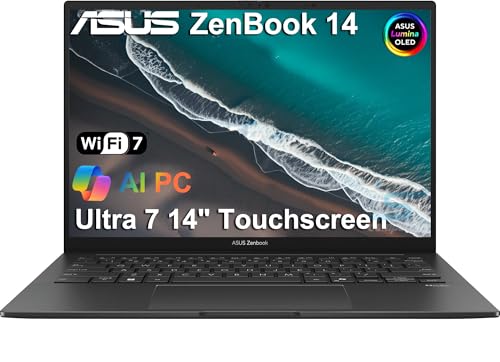
ASUS Zenbook 14 OLED
A 14-inch OLED ultraportable that combines stunning visuals with solid performance. Its 2.6-pound chassis hides a powerful Intel Core Ultra processor and a battery that easily lasts a workday. Owners praise the vibrant screen and comfortable keyboard, though the lack of USB-A ports may require an adapter.
Pros
- Vivid OLED display with accurate colors
- Excellent battery life for all-day use
- Lightweight and slim design
Cons
- Limited ports, no USB-A
- Webcam quality is average

Apple MacBook Air 13-inch (M2)
Apple’s M2 chip brings exceptional performance and efficiency to a fanless design. The aluminum unibody feels premium, and the Liquid Retina display is sharp and bright. Owners report outstanding battery life, often exceeding 15 hours of real-world use. The main downside is the higher price and limited ports.
Pros
- Industry-leading battery life
- Silent operation with no fan
- Superb build quality
Cons
- Expensive compared to Windows rivals
- Only two Thunderbolt ports

Lenovo ThinkPad X1 Carbon Gen 12
A business-class ultrabook known for its legendary keyboard and durable build. The X1 Carbon weighs just 2.4 pounds, making it one of the lightest 14-inch laptops. It includes robust security features and impressive battery life. Owners note that the display options are excellent, but the price climbs quickly with upgrades.
Pros
- Best-in-class keyboard
- Very light and portable
- Comprehensive security features
Cons
- Premium pricing
- Base model has modest storage

Dell XPS 13 (9340)
The XPS 13 is a style icon with its edge-to-edge display and CNC aluminum body. The latest model features Intel Core Ultra processors and a stunning OLED option. Its compact size and light weight make it ideal for travel. Owners appreciate the crisp display, but the webcam is still placed below the screen.
Pros
- Beautiful, near-borderless display
- Sleek and compact design
- Strong performance
Cons
- Webcam position is awkward
- Limited port selection
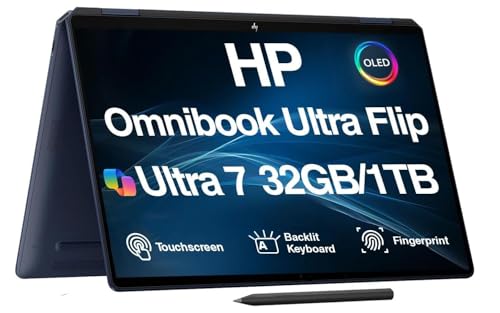
HP Spectre x360 14
A versatile 2-in-1 that folds into a tablet, with a gorgeous OLED touchscreen and a sturdy 360-degree hinge. It includes a stylus in the box, making it great for creatives. The battery life is good, though not class-leading. Owners like the premium feel and the included pen.
Pros
- Versatile 2-in-1 design
- Included stylus
- Vivid OLED touch display
Cons
- Slightly heavier than clamshells
- Battery life could be longer

Acer Swift 3
An affordable ultraportable that still offers solid performance for everyday tasks. The Swift 3 features a metal chassis and a crisp 14-inch display. It has a decent selection of ports, including USB-A and HDMI. Owners find it a great value, though the battery life is average compared to pricier models.
Pros
- Great price-to-performance ratio
- Aluminum build feels premium
- Includes USB-A and HDMI ports
Cons
- Battery life is not exceptional
- Display could be brighter

LG gram 14
The LG gram is famous for its featherlight design, weighing under 2.2 pounds. Despite the light weight, it packs a full set of ports and a large battery. The screen is sharp and the keyboard is comfortable. Owners appreciate the portability, but the plastic build can flex slightly.
Pros
- Extremely light at 2.2 pounds
- All-day battery life
- Plenty of ports including Thunderbolt 4
Cons
- Chassis feels less rigid than metal laptops
- Performance is not top-tier
Side by side
| # | Model | Display | Best for | Score | Price |
|---|---|---|---|---|---|
| 1 | ASUS Zenbook 14 OLED | 14-inch OLED, 2880×1800 | Best overall for most users | 9.4 | Check price |
| 2 | Apple MacBook Air 13-inch (M2) | 13.6-inch Liquid Retina | Best for macOS users and premium build | 9.2 | Check price |
| 3 | Lenovo ThinkPad X1 Carbon Gen 12 | 14-inch WUXGA, 1920×1200 | Best for business professionals | 9.0 | Check price |
| 4 | Dell XPS 13 (9340) | 13.4-inch FHD+ or OLED | Best for premium design and display | 8.8 | Check price |
| 5 | HP Spectre x360 14 | 13.5-inch OLED touch, 3000×2000 | Best 2-in-1 convertible | 8.7 | Check price |
| 6 | Acer Swift 3 | 14-inch FHD IPS, 1920×1080 | Best budget option | 8.5 | Check price |
| 7 | LG gram 14 | 14-inch WUXGA IPS, 1920×1200 | Lightest weight for maximum portability | 8.3 | Check price |
How to choose
Frequently asked questions
What is the best portable notebook for travel?
The LG gram 14 is the lightest at 2.18 pounds, making it ideal for frequent travelers. It also has a long battery life.
Which portable notebook has the best battery life?
The Apple MacBook Air M2 leads with up to 18 hours of battery life in real-world use, according to owner reports.
Are 2-in-1 laptops good for portability?
Yes, 2-in-1 laptops like the HP Spectre x360 offer flexibility, but they are often slightly heavier than clamshells. Consider the weight if you carry it often.
How much RAM do I need in a portable notebook?
For everyday tasks and light productivity, 8GB is enough. For heavy multitasking, video editing, or programming, 16GB is recommended.
What is the difference between IPS and OLED displays?
OLED displays offer deeper blacks and more vibrant colors, but they can be more expensive and consume more battery. IPS displays are more common and offer good color accuracy at a lower cost.
Can I play games on a portable notebook?
These ultrabooks are not designed for heavy gaming. They handle casual games and older titles, but for serious gaming, consider a gaming laptop with a discrete GPU.
How important is the weight of a notebook?
Weight affects portability. If you carry your laptop daily, a lighter model reduces strain. A 2.5-pound laptop is comfortable for most users.
Are Windows laptops better than MacBooks for portability?
Both have portable options. Windows offers a wider range of prices and form factors, while MacBooks are known for premium build and battery life. Choose based on your OS preference and budget.
What is the best budget portable notebook?
The Acer Swift 3 is a top budget pick, offering good performance and build quality at a reasonable price.
Do portable notebooks have good webcams?
Most modern models have 1080p webcams. Some, like the Dell XPS 13, have camera placement issues. Check the webcam quality if you video conference often.
Our take
For most people, the ASUS Zenbook 14 OLED is the best overall portable notebook. It delivers a superb OLED display, long battery life, and lightweight design. If you prefer macOS, the MacBook Air M2 is the top choice. For business users, the Lenovo ThinkPad X1 Carbon offers unmatched keyboard and durability. Budget-conscious buyers should choose the Acer Swift 3.


