Solid State Drives That Deliver Real Speed for Every Build
The Samsung 990 Pro tops our list for its class-leading sequential read speeds and strong sustained write performance, making it ideal for gamers and content creators. Its main drawback is the premium price, but for those who need top-tier speed, it is worth it.
Upgrading to a solid state drive is the single most effective way to breathe new life into an older computer. You will see faster boot times, snappier application launches, and quicker file transfers than with any traditional hard drive.
But with so many models on the market, choosing the right SSD can be overwhelming. We compared the top contenders to help you find the perfect balance of speed, capacity, and value for your specific needs.
How to choose
The shortlist, ranked

Samsung 990 Pro SSD
The Samsung 990 Pro is a PCIe 4.0 powerhouse that pushes the limits of what the interface can do. With sequential read speeds up to 7,450 MB/s, it is among the fastest drives you can buy. Owners report consistent performance even during heavy sustained writes, thanks to its advanced controller and DRAM cache. It comes with a heatsink option for PlayStation 5 users, ensuring thermal stability. A five-year warranty and high endurance rating back its reliability.
Pros
- Exceptional read and write speeds
- High endurance rating for long life
- Available with or without heatsink
Cons
- Premium price compared to similar drives
- Requires PCIe 4.0 for full performance

WD Black SN850X SSD
The WD Black SN850X is engineered specifically for gaming. It features a game mode that optimizes performance for gaming workloads. With sequential reads up to 7,300 MB/s, it loads games in a flash. Owners appreciate the low latency and smooth gameplay experience. The drive also offers a heat sink variant for PS5. Its robust endurance and five-year warranty make it a reliable choice for hardcore gamers.
Pros
- Game mode enhances performance
- Excellent sustained write speeds
- Heatsink option for PS5
Cons
- No built-in DRAM cache
- Slightly slower than 990 Pro in some benchmarks
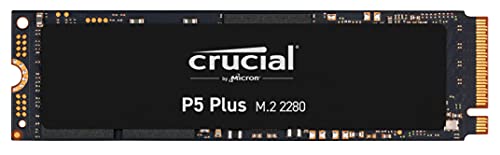
Crucial P5 Plus SSD
The Crucial P5 Plus is a well-rounded PCIe 4.0 drive that offers excellent performance at a more accessible price point. It delivers sequential reads up to 6,600 MB/s, which is plenty for most users. Its Micron Advanced 3D NAND ensures reliability. Owners report that it runs cool and performs consistently. With a five-year warranty and good endurance, it is a solid choice for upgrades and new builds.
Pros
- Great price-to-performance ratio
- Low power consumption
- Trusted brand with good warranty
Cons
- Not the fastest PCIe 4.0 drive
- Lacks advanced gaming features

Sabrent Rocket 4 Plus SSD
The Sabrent Rocket 4 Plus is a high-speed PCIe 4.0 drive that boasts impressive sequential read speeds of up to 7,100 MB/s. It uses a Phison E18 controller and high-quality Micron TLC NAND. Owners enjoy its consistent performance in demanding tasks. It comes with a heatsink version for better thermal management. The drive is backed by a five-year warranty and offers excellent endurance.
Pros
- High sequential speeds
- High endurance rating
- Heatsink version available
Cons
- Can run hot without heatsink
- Price can fluctuate

Samsung 870 EVO SSD
For those with older laptops or desktops that lack M.2 slots, the Samsung 870 EVO is the go-to SATA SSD. It maximizes the SATA III interface with sequential read speeds up to 560 MB/s. Using Samsung’s V-NAND and a proven controller, it offers exceptional reliability. Owners report it breathes new life into aging machines. Available in capacities up to 4TB, it is perfect for large storage needs.
Pros
- Reliable and consistent performance
- Great compatibility with older systems
- Large capacity options up to 4TB
Cons
- SATA speeds are far slower than NVMe
- No M.2 form factor

Crucial P3 Plus SSD
The Crucial P3 Plus is an entry-level PCIe 4.0 drive that offers solid performance at a budget-friendly price. It reaches sequential reads up to 5,000 MB/s, which is still a huge step up from SATA SSDs. It uses QLC NAND, which is less durable than TLC, but for typical users it offers great value. Owners say it is a fantastic upgrade for everyday computing and gaming. It comes with a five-year warranty.
Pros
- Very affordable
- Fast enough for most users
- Low power consumption
Cons
- Lower endurance due to QLC
- Slower than TLC-based drives

Western Digital WD Blue SN570 SSD
The WD Blue SN570 is a PCIe 3.0 NVMe SSD that provides a perfect balance of speed and affordability for everyday tasks. It offers sequential read speeds up to 3,500 MB/s, which is more than enough for boot drives and applications. It uses TLC NAND, providing better endurance than QLC drives. Owners appreciate its silent operation and low heat. It is an excellent choice for upgrading older laptops and desktops.
Pros
- Good value for PCIe 3.0
- Reliable TLC NAND
- Runs cool and quiet
Cons
- Not as fast as PCIe 4.0 drives
- No DRAM cache
Compared at a glance
| # | Model | Interface | Best for | Score | Price |
|---|---|---|---|---|---|
| 1 | Samsung 990 Pro SSD | PCIe 4.0 NVMe | High-end gaming and professional content creation | 9.4 | Check price |
| 2 | WD Black SN850X SSD | PCIe 4.0 NVMe | Gamers who want a performance edge | 9.2 | Check price |
| 3 | Crucial P5 Plus SSD | PCIe 4.0 NVMe | Everyday users and professionals needing reliable speed | 9.0 | Check price |
| 4 | Sabrent Rocket 4 Plus SSD | PCIe 4.0 NVMe | Tech enthusiasts who want maximum speed | 8.8 | Check price |
| 5 | Samsung 870 EVO SSD | SATA III | Users upgrading older SATA-based systems | 8.6 | Check price |
| 6 | Crucial P3 Plus SSD | PCIe 4.0 NVMe | Budget builders who want NVMe speed | 8.4 | Check price |
| 7 | Western Digital WD Blue SN570 SSD | PCIe 3.0 NVMe | Everyday computing and office tasks | 8.2 | Check price |
Questions worth asking
What is the difference between SATA and NVMe SSDs?
SATA SSDs use the older SATA interface, which maxes out around 550 MB/s. NVMe SSDs use the PCIe bus, offering speeds from 1,500 MB/s to over 7,000 MB/s. NVMe is significantly faster but requires an M.2 slot. SATA is more compatible with older systems.
How long do solid state drives last?
Most modern SSDs have a lifespan measured in terabytes written (TBW). For a typical user, a 1TB drive with a 600 TBW rating will last many years. The average user writes far less than the rated TBW per year, so SSDs often outlast the computer itself.
Can I use an NVMe SSD in a SATA slot?
No, NVMe and SATA are different interfaces. NVMe drives require an M.2 slot that supports PCIe, while SATA drives can connect to 2.5-inch bays or M.2 slots that support SATA. They are not cross-compatible unless you use an adapter, which may not provide full performance.
What is the best SSD for gaming?
For gaming, a fast NVMe SSD with read speeds above 5,000 MB/s is ideal. The WD Black SN850X and Samsung 990 Pro are top choices, offering quick load times and smooth gameplay. However, even a SATA SSD is a huge improvement over a hard drive.
Do I need a heatsink for my NVMe SSD?
High-performance NVMe drives can generate significant heat, especially during sustained writes. Many motherboards come with heatsinks, but if yours does not, consider a drive with an integrated heatsink or buy a separate one. Throttling can occur if temperatures get too high.
How do I install an M.2 SSD?
Installing an M.2 SSD is straightforward. Locate the M.2 slot on your motherboard, insert the drive at a slight angle, and secure it with the screw. Some motherboards require you to remove a heatsink first. Always consult your manual for specific instructions.
Can I clone my existing hard drive to an SSD?
Yes, most SSD manufacturers provide cloning software, such as Samsung Data Migration or Acronis True Image for WD. You can also use free tools like Macrium Reflect. Cloning transfers your operating system and files to the new SSD without reinstalling.
What is DRAM in an SSD and why does it matter?
DRAM is a small amount of memory used to store the mapping table that tracks data locations. SSDs with DRAM maintain consistent speeds and are more efficient. Drives without DRAM can slow down during heavy workloads. For daily use, you might not notice, but for transfer-heavy tasks, DRAM helps.
Are more expensive SSDs worth the extra money?
If you are a gamer or content creator who works with large files, a premium SSD with high speeds and endurance is worth it. For everyday tasks like web browsing and document editing, a budget drive will suffice. Consider your usage patterns and how much you value faster load times.
What should I do with my old hard drive after upgrading?
You can repurpose it as external storage using a USB enclosure. Alternatively, you can use it for backups or as a secondary drive for less frequently accessed files. If you no longer need it, make sure to securely erase it before disposal.
Our pick
For most users, the Samsung 990 Pro is the SSD to buy if you demand top-tier performance and are willing to pay for it. If you are on a budget, the Crucial P3 Plus offers the best balance of speed and price. Those with older systems should opt for the Samsung 870 EVO to maximize their current hardware.


