USB Bluetooth Adapters That Actually Work
For most people, the TP-Link UB500 is the top pick. It offers Bluetooth 5.0 with strong range and reliable connections at a budget price. Its main limitation is the lack of advanced audio codecs like aptX Low Latency.
Many desktop PCs and older laptops lack built-in Bluetooth. A USB adapter is a simple fix, but not all are equal. Some struggle with range or drop connections, while others handle multiple devices seamlessly.
We evaluated the most popular models on Amazon, focusing on real-world performance. From budget picks to premium options, here are the best USB Bluetooth adapters for different needs.
What we recommend

TP-Link USB Bluetooth Adapter UB500
The TP-Link UB500 is a compact Bluetooth 5.0 dongle that delivers reliable performance. It supports simultaneous connections to multiple devices like mice, keyboards, and speakers. Users report stable connections up to 66 feet in open air.
Pros
- Plug and play on Windows 10/11
- Compact design that won’t block adjacent ports
- Affordable price point
Cons
- No aptX Low Latency for gaming
- Limited to Bluetooth 5.0, not 5.3
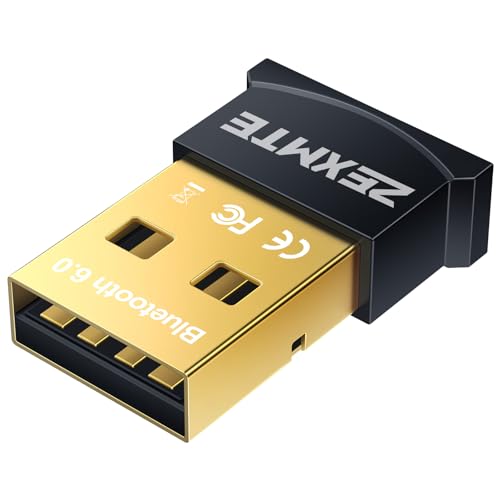
Zexmte Bluetooth 5.0 USB Adapter
The Zexmte Bluetooth adapter offers great value with Bluetooth 5.0. It includes a 2dBi antenna for better signal reception. Users report good range and stable connections for audio and peripherals.
Pros
- External antenna boosts reception
- Very low price
- Works with Windows, Linux, and Raspberry Pi
Cons
- Bulkier due to antenna
- No aptX support

Avantree Bluetooth USB Adapter for PC
The Avantree adapter is designed with audio in mind. It supports aptX Low Latency, which keeps audio in sync with video. It also has a mute button and a 40 feet range. Users praise its stable connection for headphones and speakers.
Pros
- Low latency for video and gaming
- Easy pairing with dedicated button
- Compatible with Windows and Mac
Cons
- Not for simultaneous multi-device
- Shorter range than some competitors

Plugable USB Bluetooth 5.0 Adapter
Plugable is known for reliable adapters. This Bluetooth 5.0 model works with Windows, Linux, and macOS. It supports dual mode and has a range of 66 feet. Users appreciate the clear documentation and driver support.
Pros
- Broad OS support
- Excellent customer support
- Stable connection quality
Cons
- Slightly higher price
- No aptX support

ASUS USB-BT500
The ASUS USB-BT500 is a compact Bluetooth 5.0 adapter. It supports aptX Low Latency, making it good for gaming headsets. It also has an external antenna for better signal. Users report low latency and good range.
Pros
- Low latency for gaming
- External antenna for signal strength
- Compact size
Cons
- Driver installation required on some systems
- Not the cheapest option
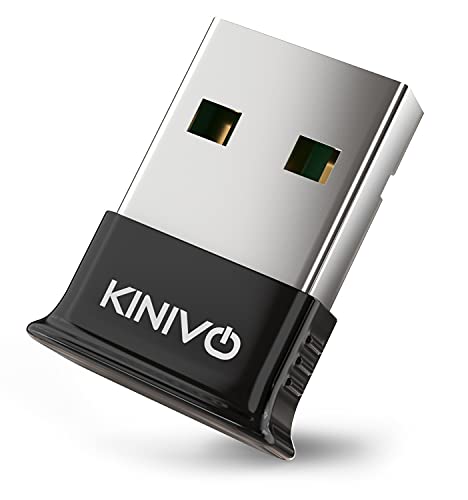
Kinivo BTD-400
The Kinivo BTD-400 is a classic Bluetooth 4.0 adapter. It can pair with up to 7 devices at once. It has a long range of up to 100 feet. Users like its reliability for connecting multiple peripherals.
Pros
- Very long range
- Pairs with many devices
- Works with Windows and Mac
Cons
- Bluetooth 4.0, not 5.0
- No aptX support

Oussir Bluetooth USB Adapter 5.3
The Oussir adapter is one of the few with Bluetooth 5.3. It offers improved connection stability and lower power consumption. It is backward compatible with older versions. Users report easy setup on Windows.
Pros
- Latest Bluetooth version
- Compact design
- Good price for the features
Cons
- Not many codecs supported
- Limited availability
How to choose
How they stack up
| # | Model | Bluetooth Version | Best for | Score | Price |
|---|---|---|---|---|---|
| 1 | TP-Link USB Bluetooth Adapter UB500 | 5.0 | Best overall for most users | 9.4 | Check price |
| 2 | Zexmte Bluetooth 5.0 USB Adapter | 5.0 | Best budget pick | 8.9 | Check price |
| 3 | Avantree Bluetooth USB Adapter for PC | 5.0 | Best for high-quality audio streaming | 9.1 | Check price |
| 4 | Plugable USB Bluetooth 5.0 Adapter | 5.0 | Best for wide compatibility | 9.0 | Check price |
| 5 | ASUS USB-BT500 | 5.0 | Best for gaming and low latency | 8.8 | Check price |
| 6 | Kinivo BTD-400 | 4.0 | Best for simultaneous pairing with many devices | 8.6 | Check price |
| 7 | Oussir Bluetooth USB Adapter 5.3 | 5.3 | Best for future-proofing with Bluetooth 5.3 | 8.4 | Check price |
Good to know
What is a USB Bluetooth adapter?
A USB Bluetooth adapter is a small dongle that plugs into a USB port to add Bluetooth capability to a computer that lacks it. It allows you to connect wireless devices like keyboards, mice, headphones, and speakers.
Do USB Bluetooth adapters work with all computers?
Most work with Windows and many with Mac, but compatibility varies. Check the adapter’s specifications for supported operating systems. Some may require drivers, while others are plug and play.
What is the difference between Bluetooth 4.0, 5.0, and 5.3?
Bluetooth 5.0 offers longer range and faster speed than 4.0. Bluetooth 5.3 improves on 5.0 with better interference handling and lower power consumption. For most users, Bluetooth 5.0 is fine, but 5.3 is more future-proof.
Can I use a USB Bluetooth adapter for audio?
Yes, but the audio quality and latency depend on the adapter’s supported codecs. For high-quality audio, look for aptX or aptX Low Latency support. Otherwise, SBC and AAC are common.
How many devices can I connect at once?
It depends on the adapter. Many support up to 5 or 7 simultaneous connections, but connecting many devices may affect performance. For multiple peripherals, choose an adapter with multi-point support.
Do USB Bluetooth adapters require drivers?
Many are plug and play on Windows 10 and 11, but some may require driver installation. Always check the product description. Mac OS often requires additional software for certain adapters.
What is aptX Low Latency?
aptX Low Latency is a codec that reduces audio delay to around 40 milliseconds. This is important for watching videos or gaming, where audio sync matters. Not all adapters support it.
Can I use a USB Bluetooth adapter with a Raspberry Pi?
Yes, many adapters work with Raspberry Pi, especially those with Linux support. Look for adapters that are compatible with Linux and have open-source drivers.
What is the best USB Bluetooth adapter for gaming?
For gaming, choose an adapter with aptX Low Latency and a good antenna. The ASUS USB-BT500 and Avantree adapter are good choices. They offer low latency and stable connections for gaming headsets.
How do I know if my computer has Bluetooth?
On Windows, go to Device Manager and look for Bluetooth. On Mac, click the Apple menu and select System Report, then Bluetooth. If it is not listed, you will need an adapter.
The verdict
For most users, the TP-Link UB500 is the best USB Bluetooth adapter because it combines reliability, Bluetooth 5.0, and multi-device support at a low price. If you need low latency for audio or gaming, choose the Avantree or ASUS model. If you have many devices to connect, the Kinivo BTD-400 offers the best range and multi-pairing. Ultimately, the TP-Link UB500 is the safest recommendation.


