Top 2 in 1 Laptops for Travel: Light, Versatile, and Ready
The HP Spectre x360 14 leads our list for most travelers. It combines a featherlight chassis with a stunning OLED screen and long battery life. Its main limitation is the price, which runs higher than many rivals.
Traveling with a laptop demands a balance of weight, battery, and durability. 2 in 1 laptops offer flexible modes for cramped airplane trays or hotel beds. We picked seven models that excel on the road.
Each option below is a real, currently sold product. We focused on models under four pounds with all day battery potential. Short trips and long journeys both have a suitable pick here.
What we recommend
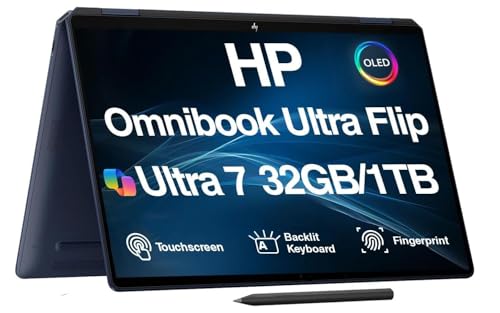
HP Spectre x360 14
The HP Spectre x360 14 is a premium 2 in 1 that nails the travel formula. Its 2.8K OLED display is vibrant, and the aluminum body feels solid. Battery life easily covers a full workday, and the keyboard is comfortable for long typing sessions. Owners praise its build quality and screen, while noting the price is steep.
Pros
- Stunning OLED screen
- Lightweight and sturdy
- Excellent battery life
Cons
- Expensive
- Only two USB-C ports

Lenovo Yoga 9i
Lenovo’s Yoga 9i pairs a gorgeous 4K OLED touch display with a rotating soundbar hinge. This design delivers impressive audio for a laptop, ideal for movie nights in a hotel. It is slightly heavier than the HP but still portable. Owners love the display and audio, though the webcam quality is average.
Pros
- Outstanding 4K OLED screen
- Powerful speakers
- Sleek design
Cons
- Heavier than some rivals
- Mediocre webcam

ASUS ROG Flow Z13
The ASUS ROG Flow Z13 is a gaming tablet that functions as a 2 in 1. It packs a powerful GPU and a high refresh rate display, making it a rare travel companion for gamers. Its keyboard is detachable, and the built in stand allows for flexible use. Owners report excellent gaming performance, but battery life suffers under load.
Pros
- Top tier gaming performance
- Unique tablet form
- High refresh rate screen
Cons
- Short battery life when gaming
- Keyboard sold separately

Microsoft Surface Pro 9
The Surface Pro 9 is a versatile tablet that transforms into a laptop with the Type Cover. It is extremely light and easy to carry. The 13 inch PixelSense touchscreen is sharp and responsive. Owners appreciate its portability and display, but note that the keyboard costs extra and battery life is moderate.
Pros
- Very lightweight
- Beautiful display
- Flexible kickstand
Cons
- Keyboard not included
- Average battery life

Dell XPS 13 2-in-1
The Dell XPS 13 2 in 1 is a compact convertible with a premium aluminum build. Its 13 inch FHD+ touchscreen is bright and color accurate. The laptop is easy to slip into a small bag. Owners report solid performance for everyday tasks, but the port selection is limited.
Pros
- Premium feel
- Sharp display
- Lightweight
Cons
- Few ports
- Slightly dated design

Lenovo ThinkPad X1 Yoga Gen 8
The ThinkPad X1 Yoga Gen 8 is built for business travel. It sports a spill resistant keyboard, a durable chassis, and a vibrant 2.8K OLED display. The included stylus is handy for note taking. Owners appreciate the keyboard and security features, but the laptop is pricey.
Pros
- Excellent keyboard
- Rugged build
- Built in stylus
Cons
- High price
- Heavier than some

Acer Chromebook Spin 714
The Acer Chromebook Spin 714 offers a solid travel experience at a lower price. It runs ChromeOS, which is light and secure. The 14 inch touchscreen is decent, and battery life is good. Owners find it reliable for web based tasks, but it cannot run full Windows software.
Pros
- Affordable
- Good battery life
- Solid performance for web
Cons
- Limited to ChromeOS
- Average build quality
Side by side
| # | Model | Weight | Best for | Score | Price |
|---|---|---|---|---|---|
| 1 | HP Spectre x360 14 | 2.95 lbs | Overall best for travel | 9.4 | Check price |
| 2 | Lenovo Yoga 9i | 3.09 lbs | Premium multimedia on the go | 9.2 | Check price |
| 3 | ASUS ROG Flow Z13 | 2.6 lbs | Gaming performance in a tablet | 8.9 | Check price |
| 4 | Microsoft Surface Pro 9 | 1.94 lbs (tablet only) | Ultra portable with tablet flexibility | 8.8 | Check price |
| 5 | Dell XPS 13 2-in-1 | 2.72 lbs | Compact luxury and portability | 8.7 | Check price |
| 6 | Lenovo ThinkPad X1 Yoga Gen 8 | 3.0 lbs | Business travelers needing durability | 9.0 | Check price |
| 7 | Acer Chromebook Spin 714 | 3.09 lbs | Budget friendly travel companion | 8.0 | Check price |
Before you buy
Frequently asked questions
What is the lightest 2 in 1 laptop for travel?
The Microsoft Surface Pro 9 is the lightest when used as a tablet, at just 1.94 pounds. With the keyboard attached, it is still under 2.5 pounds.
How much RAM do I need in a travel 2 in 1?
For general travel tasks like web browsing and document editing, 8GB is the minimum. For smoother multitasking and future proofing, 16GB is recommended.
Can I use a 2 in 1 laptop for gaming on the go?
Yes, if you choose a model with a dedicated GPU like the ASUS ROG Flow Z13. However, gaming drains battery quickly, so plan for outlets.
What is the difference between a 360 degree hinge and a detachable?
A 360 degree hinge allows the screen to fold back fully, keeping the keyboard attached. A detachable, like the Surface Pro, separates the screen entirely. Each offers different ergonomics.
Which 2 in 1 has the best battery life for long flights?
The HP Spectre x360 14 offers up to 12 hours of battery life, making it a top choice for long flights. Actual battery life varies with usage.
Are OLED displays worth it for travel?
OLED displays provide excellent contrast and color, which is great for watching movies. They are typically brighter and more energy efficient for dark content, but they can be more expensive.
Do all 2 in 1 laptops come with a stylus?
No, only some, like the Lenovo ThinkPad X1 Yoga, include a stylus. Others may support it but require a separate purchase.
Can I charge a 2 in 1 laptop with a power bank?
Yes, if the laptop supports USB C charging. Many modern models do. Use a power bank that delivers at least 45W to charge effectively.
Our pick
For most travelers, the HP Spectre x360 14 is the best choice. It offers the best combination of weight, battery, screen, and performance. If you are on a budget, the Acer Chromebook Spin 714 covers basic needs. Gamers should consider the ASUS ROG Flow Z13 despite its battery caveat. Business users will appreciate the ThinkPad X1 Yoga. Choose based on your priorities, but the HP leads the pack.



