How to Inspect Tight Spaces With a Borescope
Depstech DS500 leads for most buyers with a sharp 5-megapixel dual lens and a cable that holds its bend. Teslong NTS300 adds a built-in screen for shop use without a phone. Depstech WF010 covers casual jobs on a tight budget with wireless streaming.
Depstech DS500 wins on image quality and cable control for general inspection work. Teslong NTS300 trades some resolution for a built-in screen that needs no pairing. Wireless Depstech WF010 handles occasional drain and cabinet checks at the lowest price.
Inspection cameras look interchangeable in online listings, yet cable rigidity and true sensor resolution decide whether a scope is actually usable. Many cheap models advertise large megapixel counts while shipping floppy cables that will not push around a bend. We compared listed specs, head diameter, and owner feedback to separate scopes that hold up from ones that frustrate.
The shortlist, ranked
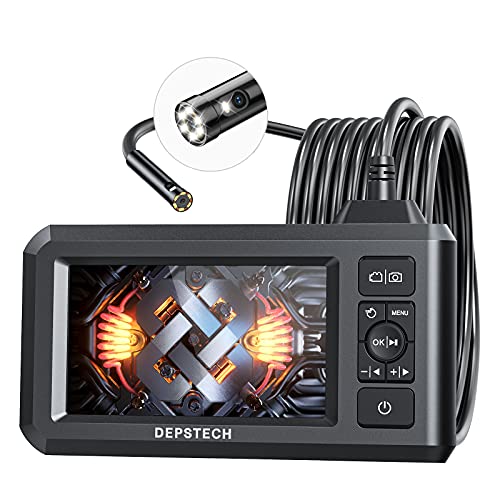
Depstech DS500 Dual-Lens Borescope
Dual 5-megapixel front and side lenses give the DS500 sharper detail than most wireless scopes in this price range. A semi-rigid cable holds its shape once bent around a corner. Owners report strong, even lighting that keeps engine bays and drains readable on screen.
Pros
- Sharp dual-lens images with strong lighting
- Semi-rigid cable holds its bend
- Works with both Android and iPhone
Cons
- Relies on a phone app rather than a built-in screen
- Head width will not fit the tightest gaps

Teslong NTS300 Dual-Lens Inspection Camera
A 5-inch screen ships built in, so the NTS300 skips phone pairing entirely. Front and side lenses cover straight views and pipe walls in one pass. Reviewers like that it powers on and works instantly for quick shop checks.
Pros
- Standalone screen skips phone pairing
- Front and side lenses in one unit
- Powers on and works instantly
Cons
- Screen resolution trails a modern phone
- Head width is too wide for narrow bores

Depstech WF010 Wireless Endoscope
Streaming a 2-megapixel image over wireless, the WF010 keeps setup simple for casual users. Adjustable LED rings light up cabinets, walls, and drains on demand. Basic as it is, owners say it handles occasional inspection jobs at a low price.
Pros
- Low entry price for occasional use
- Waterproof head suits wet inspections
- Adjustable ring lighting
Cons
- Lower resolution than premium dual-lens models
- Wireless connection can drop occasionally

Teslong NTS500 Dual-Lens Borescope
A 4.5-inch display and sharper dual optics separate the NTS500 from Teslong’s cheaper NTS300. One-key lens switching moves between front and side views without touching a phone. Owners inspecting cylinders and gearboxes note the clearer image as the main upgrade.
Pros
- Crisp image with one-key lens toggle
- No phone or app required
- Records photos and video to a memory card
Cons
- Costs more than app-only scopes
- Battery life is moderate between charges
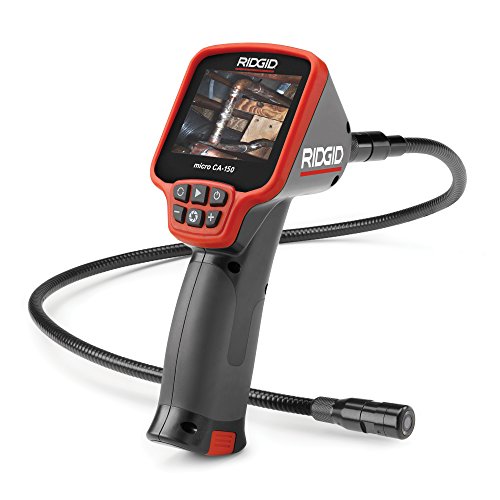
RIDGID micro CA-150 Inspection Camera
Built for daily trade use, the CA-150 pairs a rugged handheld body with an integrated 3.5-inch display. Image rotation keeps orientation correct in awkward positions. Tradespeople value the durability, though the price reflects professional-grade construction.
Pros
- Rugged build suited to jobsite abuse
- Image rotation and zoom controls
- Backed by a trusted trade brand
Cons
- Lower native resolution than consumer scopes
- Standard cable is short without extensions
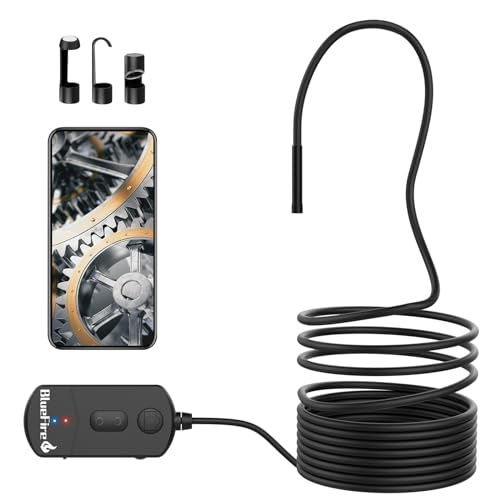
BlueFire 5.5mm Semi-Rigid Endoscope
A 5.5mm head lets the BlueFire slip through spark-plug holes and other narrow automotive openings. USB and wireless connections both work, depending on what is nearby. Owners working on engines single out the slim diameter as the main reason to buy it.
Pros
- Slim head reaches tight engine spaces
- Long semi-rigid cable extends reach
- Waterproof probe handles fluid spills
Cons
- Smaller sensor produces softer detail
- No standalone screen included
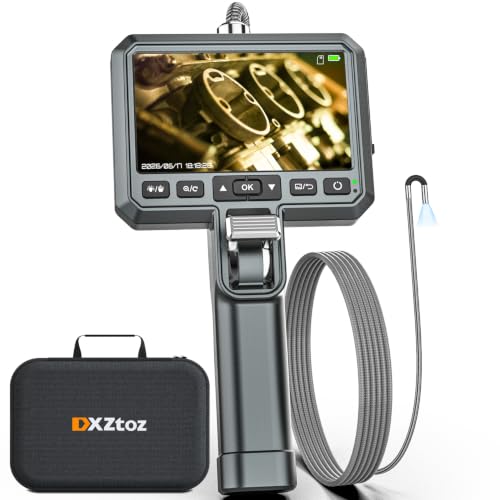
Oiiwak 3.9mm Ultra-Slim Borescope
At 3.9mm, the Oiiwak head is among the narrowest sold for consumer use. It slips into ports and passages that block wider scopes outright. Image size shrinks in exchange for that access, making it a specialist tool rather than an everyday one.
Pros
- Extremely slim head for tight access
- Bright, adjustable LED lighting
- Direct USB-C connection option
Cons
- Short cable limits overall reach
- Lower resolution than larger-head scopes
What to look for
How cable stiffness affects where you can inspect Cable behavior decides whether a borescope reaches where you point it. Semi-rigid cables hold a bend, so you can steer around corners inside an engine bay or wall cavity. Fully flexible cables sag under their own weight and work best on straight drops, like feeding down a drain. Most buyers doing engine or wall work want semi-rigid over flexible.
Which head diameter fits your inspection job Narrower heads reach tighter spaces but carry a smaller sensor, so image detail drops as the head shrinks. A 7 to 8 mm head suits general drain and cavity work with sharper results. Reserve 3.9 to 5.5 mm heads for spark-plug holes and other genuinely tight passages, since detail is the tradeoff there.
Built-in screen or phone app: which is more practical Built-in screens turn on instantly and never lose a wireless connection, which matters in a shop with metal interference nearby. Phone-app scopes cost less and use your phone’s sharper display, but depend on a stable link. Choose a screen model for speed and reliability, and an app model to save money.
Lighting and waterproofing matter more than the spec sheet suggests Adjustable LED brightness beats a fixed light source, because too much light washes out close subjects and too little hides detail entirely. Confirm the head carries a waterproof rating before dunking it in a drain or wet engine bay. Check that any dual-lens design gives a genuine side view rather than an unused second sensor.
How they stack up
| # | Model | Resolution | Best for | Score | Price |
|---|---|---|---|---|---|
| 1 | Depstech DS500 Dual-Lens Borescope | 5 MP, 1944p | Best overall | 9.3 | Check price |
| 2 | Teslong NTS300 Dual-Lens Inspection Camera | 1080p dual lens | Best value | 9.0 | Check price |
| 3 | Depstech WF010 Wireless Endoscope | 2 MP, 1080p | Best budget | 8.4 | Check price |
| 4 | Teslong NTS500 Dual-Lens Borescope | 1080p dual lens | Best dual-lens screen model | 8.9 | Check price |
| 5 | RIDGID micro CA-150 Inspection Camera | 640 x 480 | Best for pros | 8.8 | Check price |
| 6 | BlueFire 5.5mm Semi-Rigid Endoscope | 1080p | Best for automotive | 8.5 | Check price |
| 7 | Oiiwak 3.9mm Ultra-Slim Borescope | 720p | Best for tight gaps | 8.2 | Check price |
Questions worth asking
What is the difference between a borescope and an endoscope?
The terms overlap in most consumer listings today. Borescopes historically inspected machinery and pipes, while endoscopes had medical roots. For DIY and automotive use, both terms describe the same handheld inspection camera.
What head diameter do I need for engine or drain work?
A 7 to 8 mm head balances reach and image quality for general drain, wall, and cavity inspections. Spark-plug holes and other tight passages call for 5.5 mm or narrower heads, accepting a smaller image in return.
Do I need a dual-lens borescope?
A side-view lens shows pipe walls and cylinder surfaces without twisting the cable around. That extra angle helps most in automotive and plumbing work. A single front lens is enough for basic look-and-see jobs.
Is a built-in screen better than a phone app for inspection cameras?
Screens start faster and skip pairing issues, since there is no wireless link to drop. App models cost less and use your phone’s sharper display. Pick based on whether speed or price matters more to you.
Can borescopes be used underwater?
Only the head and cable carry a waterproof rating on most models, not the handle or screen. Check the IP rating before submerging any part. Never put a phone-connected handle or built-in display into water.
How stiff should a borescope cable be?
Semi-rigid cables hold a bend, which suits most inspections around corners. Fully flexible cables work only for straight vertical drops, such as feeding straight down a pipe.
Will a borescope work with my phone?
Most wireless models support both Android and iPhone through a free app. USB versions plug directly into USB-C or micro-USB ports. Confirm the connector type and app compatibility before buying.
Why do borescope images look softer than the megapixel number suggests?
Listings often quote interpolated resolution rather than the true sensor size. A real image can look softer than the headline number implies. Owner photos in reviews give a more honest sense of actual detail.
The bottom line
Depstech DS500 is the strongest all-round inspection camera here, pairing a sharp dual lens with a cable that steers where you point it. Teslong NTS300 offers screen-based convenience for less money, and wireless Depstech WF010 covers casual jobs cheaply. Match head diameter to the spaces you actually inspect, then pick between a screen and an app.