Best Gaming Desks for Every Setup, Room and Budget
For most players the ApexDesk Elite is the strongest all-rounder thanks to its wide curved top and quiet electric lift. The Eureka Z1-S wins on value, while the Homall K-shaped desk covers tight budgets and small rooms.
If you want the short version: the ApexDesk Elite Series is the best gaming desk for most setups, the Eureka Ergonomic Z1-S is the smartest value buy, and the Homall K-shaped desk is the budget pick that still feels solid.
Desks are trickier than they look because a huge top means nothing if it flexes when you lean on it, and a flashy carbon finish cannot fix bad cable routing. We compared listed dimensions, weight capacity, frame construction and owner feedback to separate the sturdy from the shaky.
The top picks, ranked

ApexDesk Elite Series 60 inch
The Elite Series pairs a wide curved top with a dual-motor electric frame, so it doubles as a sit-stand workstation. Owners report rock-solid stability even with two monitors and a full peripheral load.
Pros
- Very stable at standing height
- Curved top adds elbow room
- Quiet dual-motor lift
Cons
- Assembly takes patience
- Heavy to move once built
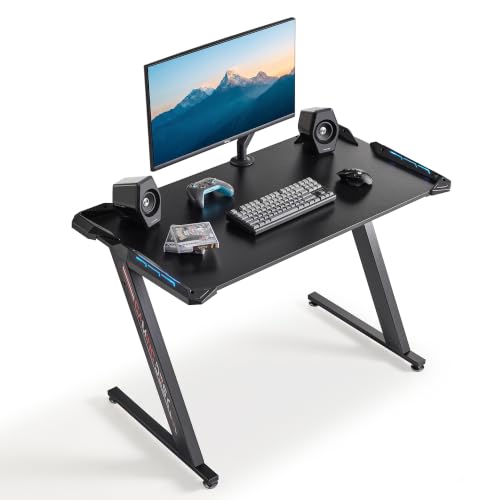
Eureka Ergonomic Z1-S Gaming Desk
The Z1-S delivers a Z-shaped steel frame, a headset hook, cup holder and a full mouse-pad surface for a fair outlay. It is a favorite among owners who want gamer styling without a premium price.
Pros
- Sturdy welded steel legs
- Full-surface mouse pad included
- Cable-tray organizer
Cons
- Fixed height only
- Deep Z-legs limit foot space

Homall K-Shaped Gaming Desk
The K-shaped Homall keeps things simple with a carbon-fiber textured top and a compact footprint that suits small rooms. For a first gaming desk it covers the essentials without wobble.
Pros
- Easy to assemble
- Fits tight spaces
- Low price for the build
Cons
- Shallow top depth
- Basic cable management

Secretlab Magnus Metal Desk
The Magnus hides its magnetic cable ducts and accessory ecosystem beneath a full-metal top. It is the pick for anyone who wants a clean, snag-free desk surface and modular add-ons.
Pros
- Best-in-class cable hiding
- Magnetic accessory ecosystem
- Premium metal build
Cons
- Not height adjustable in base form
- Accessories add up
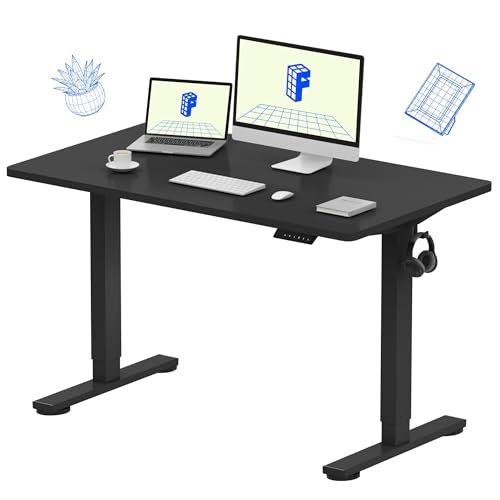
Flexispot GD01 Gaming Desk
The GD01 brings a motorized standing base with programmable height presets and a curved gaming top. It suits players who alternate long sessions between sitting and standing.
Pros
- Programmable height memory
- Smooth motorized lift
- Curved ergonomic edge
Cons
- Lower weight rating
- Controller feels basic
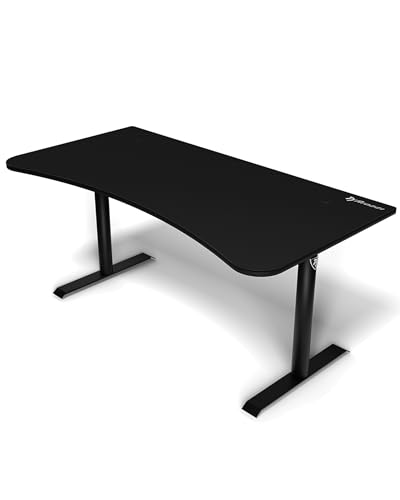
Arozzi Arena Gaming Desk
The Arena is built around a full-desk waterproof mouse mat and a very wide curved top with a center monitor cutout. Owners with triple-monitor rigs gravitate to it for the sheer real estate.
Pros
- Huge usable surface
- Full-desk mouse mat
- Center monitor recess
Cons
- Takes a lot of floor space
- Legs adjust by hand only
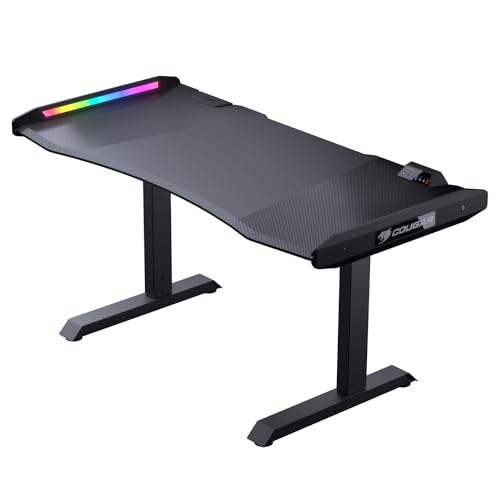
Cougar Mars Pro Gaming Desk
The Mars Pro leans into aggressive styling with built-in RGB lighting, a Z-frame and integrated cable and headset management. It is aimed at streamers who want the desk itself to be part of the show.
Pros
- Integrated RGB lighting
- Solid Z-frame
- Good peripheral hooks
Cons
- RGB controller is simple
- Styling is polarizing
Side by side
| # | Model | Top width | Best for | Score | Price |
|---|---|---|---|---|---|
| 1 | ApexDesk Elite Series 60 inch | 60 in | Best overall | 9.4 | Check price |
| 2 | Eureka Ergonomic Z1-S Gaming Desk | 44.5 in | Best value | 9.1 | Check price |
| 3 | Homall K-Shaped Gaming Desk | 44 in | Best budget | 8.6 | Check price |
| 4 | Secretlab Magnus Metal Desk | 59 in | Best for cable management | 9.2 | Check price |
| 5 | Flexispot GD01 Gaming Desk | 55 in | Best sit-stand | 8.9 | Check price |
| 6 | Arozzi Arena Gaming Desk | 63 in | Best large surface | 8.8 | Check price |
| 7 | Cougar Mars Pro Gaming Desk | 59 in | Best for RGB setups | 8.4 | Check price |
What matters most
How much desk surface do you actually need Surface depth matters more than width for comfort. Aim for at least 27 to 30 inches of depth so your monitor sits an arm’s length away and your keyboard and mouse have room in front. Curved fronts help you reach the far corners without stretching, which is why several of our picks use them.
Stability and weight capacity A desk that wobbles when you lean in ruins aiming and typing alike. Look at frame construction first: welded steel Z or T legs resist racking far better than thin tube legs. Weight capacity is a useful proxy for rigidity, so a higher rating usually signals a stiffer frame even if you never load it fully.
Sit-stand versus fixed height Motorized sit-stand desks let you break up marathon sessions and are worth it if back comfort is a priority, but they cost more and often carry lower weight limits. If you always game seated, a rigid fixed-height desk gives you more stability for the money.
Cable management and extras Loose cables snag chairs and collect dust. The cleanest setups route power and USB through under-desk trays or magnetic ducts. Headset hooks, cup holders and grommets are minor on their own, but together they keep the surface clear for actual play.
Common questions
What size gaming desk should I get?
For a single or dual monitor setup, a top around 44 to 55 inches wide and at least 27 inches deep is comfortable. Triple-monitor or ultrawide rigs benefit from 60 inches or more of width.
Are curved gaming desks better?
A curved front lets you reach both far corners without leaning and keeps peripherals within arm’s reach. It is a genuine ergonomic help rather than just a styling choice, especially on wider desks.
Do I need a sit-stand gaming desk?
Only if you plan to alternate between sitting and standing. If you always play seated, a fixed-height desk is more stable and less expensive for the same surface size.
How much weight can a gaming desk hold?
Most quality gaming desks list capacities between 150 and 330 pounds. That is far more than a typical PC, monitors and peripherals need, so a higher rating mainly signals a stiffer frame.
Is a glass gaming desk a good idea?
Glass looks clean but shows fingerprints and can be cold and slippery for a mouse. Laminate or metal tops with a textured finish are generally more practical for gaming.
Do gaming desks come with a mouse pad?
Some, like the Arozzi Arena and Eureka Z1-S, include a full-surface or partial mouse mat. Others expect you to add your own, so check the listing if a built-in mat matters to you.
How hard is a gaming desk to assemble?
Fixed-height desks usually take 20 to 40 minutes with the included hardware. Motorized sit-stand models are heavier and take longer because of the frame and controller wiring.
Can a gaming desk double as a work desk?
Yes. A stable top with good cable routing works equally well for productivity, and sit-stand models in particular are popular for people who game and work at the same station.
The verdict
The ApexDesk Elite Series is the gaming desk we would point most players toward, combining a spacious curved top with a genuinely stable electric lift. Choose the Eureka Z1-S if you want gamer styling at a fair price, or the Homall K-shaped desk when space and budget are tight.


