Top Monitors for Print Color Matching and Proofing
For print work, the BenQ SW321C PhotoVue Monitor stands out as the top pick for serious photographers and print shops. It offers hardware calibration and a wide gamut, but it comes with a high price. For most users, the ASUS ProArt PA279CV is an excellent value, providing accurate color and USB-C connectivity at a more accessible cost.
When you need to match what you see on screen to what comes out of your printer, a standard monitor won’t cut it. Color shifts, limited gamut, and poor viewing angles lead to wasted paper and ink.
We compared seven monitors that photographers and print shops use for color-critical work. Look for high Adobe RGB and DCI-P3 coverage, hardware calibration, and stable panels.
Our top picks

BenQ SW321C PhotoVue 32-Inch 4K Monitor
A 32-inch 4K monitor with 99% Adobe RGB and 100% sRGB coverage out of the box. Its built-in shading hood and Paper Color Sync mode help match prints. Owners report excellent uniformity and accurate colors after calibration.
Pros
- Hardware calibration with Palette Master Element
- High resolution for detailed editing
- Built-in shading hood
Cons
- Very expensive
- No Thunderbolt 3

ASUS ProArt PA279CV 27-Inch 4K Monitor
A 27-inch 4K IPS monitor with 100% sRGB and 99% Adobe RGB coverage. It includes ASUS ProArt calibration technology and a USB-C port with 65W power delivery. Users find it accurate for photo editing and soft proofing.
Pros
- Affordable price point
- Factory calibrated with report
- USB-C with power delivery
Cons
- No hardware calibration LUT
- Stand is less adjustable

Dell UltraSharp U2723QE 27-Inch 4K Hub Monitor
A 27-inch 4K IPS Black monitor with 98% DCI-P3 coverage and superb contrast. It features a USB-C hub with 90W charging and multiple downstream ports. Users appreciate the sleek design and color consistency.
Pros
- Excellent connectivity with hub
- IPS Black technology for deeper blacks
- Factory calibrated to Delta E less than 2
Cons
- Not as wide gamut as some rivals
- No built-in shading hood

LG 27UP850N 27-Inch 4K Monitor
A 27-inch 4K IPS monitor with 95% DCI-P3 coverage and USB-C connectivity. It supports HDR and has a slim design. Owners report good color accuracy for the price, though it lacks hardware calibration.
Pros
- Great for Mac with USB-C
- Color-accurate out of the box
- Height adjustable stand
Cons
- No hardware calibration support
- Limited Adobe RGB coverage
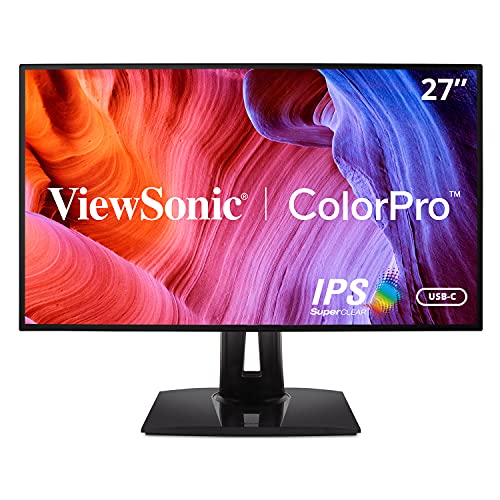
ViewSonic VP2768a 27-Inch QHD Monitor
A 27-inch QHD IPS monitor with 100% sRGB and 96% Adobe RGB coverage. It includes a hardware calibration option via ViewSonic Colorbration software. Users find it reliable for print proofing without the 4K price.
Pros
- Hardware calibration at a lower price
- Good uniformity and stable colors
- Ergonomic stand
Cons
- Lower resolution than 4K
- Smaller color gamut than pro models

Eizo ColorEdge CS2731 27-Inch WQHD Monitor
A 27-inch WQHD monitor with 99% Adobe RGB coverage and built-in calibration sensor. It offers excellent stability and uniformity. Users in print shops praise its accurate colors and long-term reliability.
Pros
- Built-in calibration sensor
- Superb color stability
- 5-year warranty
Cons
- High price
- Only QHD resolution

HP DreamColor Z27x G2 27-Inch 4K Monitor
A 27-inch 4K monitor with 99% DCI-P3 and 100% sRGB coverage. It supports hardware calibration and includes a built-in colorimeter. Users report excellent color accuracy for video and print workflows.
Pros
- Built-in colorimeter for easy calibration
- Wide DCI-P3 coverage
- Accurate out of the box
Cons
- Heavy and bulky
- No USB-C
Before you buy
How they stack up
| # | Model | Screen Size | Best for | Score | Price |
|---|---|---|---|---|---|
| 1 | BenQ SW321C PhotoVue 32-Inch 4K Monitor | 32 inches | Professional print proofing with hardware calibration | 9.4 | Check price |
| 2 | ASUS ProArt PA279CV 27-Inch 4K Monitor | 27 inches | Budget-friendly color-accurate 4K editing | 9.1 | Check price |
| 3 | Dell UltraSharp U2723QE 27-Inch 4K Hub Monitor | 27 inches | Office and print work with extensive connectivity | 8.9 | Check price |
| 4 | LG 27UP850N 27-Inch 4K Monitor | 27 inches | Mac users and creative professionals on a budget | 8.7 | Check price |
| 5 | ViewSonic VP2768a 27-Inch QHD Monitor | 27 inches | Budget hardware calibration and precise color | 8.5 | Check price |
| 6 | Eizo ColorEdge CS2731 27-Inch WQHD Monitor | 27 inches | Professional print studios needing precise color | 9.2 | Check price |
| 7 | HP DreamColor Z27x G2 27-Inch 4K Monitor | 27 inches | Film and print professionals needing DCI-P3 accuracy | 8.8 | Check price |
Questions worth asking
Do I need a 4K monitor for print design?
Not necessarily. For print, color accuracy is more important than resolution. Many excellent print monitors are QHD. However, 4K offers more screen real estate and finer details for editing, which can be beneficial.
What is the difference between sRGB and Adobe RGB?
Adobe RGB has a wider color gamut than sRGB, especially in greens and cyans. If you print with CMYK, Adobe RGB coverage helps preserve more color details. sRGB is fine for web but limited for print.
Can I use a standard monitor for occasional print proofing?
You can, but you may experience color shifts. For occasional proofing, a monitor with good sRGB coverage and software calibration may suffice. For consistent results, invest in a model designed for color-critical work.
What is hardware calibration?
Hardware calibration adjusts the monitor’s internal color processing unit using a calibrator. It stores the profile on the monitor, ensuring consistent colors across different graphics cards and operating systems.
How often should I calibrate my monitor for print?
Most experts recommend calibrating every two to four weeks, depending on usage. Monitors drift over time, so regular calibration maintains accuracy.
Is an IPS panel necessary for print work?
Yes. IPS panels offer better color consistency and viewing angles compared to TN or VA panels. This is crucial when you need to view colors accurately from different positions.
What is the ideal brightness for print editing?
For print, a brightness of 80 to 120 cd/m2 is typical. Some standards, like soft proofing, use 160 cd/m2. Set your monitor to a consistent brightness and calibrate accordingly.
Can I use a gaming monitor for print work?
Gaming monitors may have high refresh rates but often lack color accuracy. They typically cover only sRGB, not Adobe RGB. For print, a professional monitor is a better investment.
Why does my printed output look darker than my screen?
Monitors emit light, while prints reflect it. This causes prints to appear darker. Calibrating to a lower brightness and using a soft proofing profile can help match prints more closely.
What is Paper Color Sync in BenQ monitors?
Paper Color Sync is a software that simulates how colors will appear on different paper types. It works with BenQ monitors to adjust the display to match the paper’s characteristics, aiding in proofing.
Our take
For most print professionals and serious hobbyists, the BenQ SW321C is the best choice due to its wide gamut and hardware calibration, but if budget is a concern, the ASUS ProArt PA279CV offers excellent color accuracy and features at a fraction of the cost. Choose based on your workflow requirements and budget.


