Portable Monitors with USB C: Top Picks for On the Go
The ASUS ZenScreen MB16ACV is our top pick for most people. It offers a slim, lightweight design with a full HD IPS panel and a single USB C cable for power and video. Its main limitation is the 60Hz refresh rate, which is fine for work but not for high refresh gaming.
A USB C portable monitor turns your laptop or phone into a dual screen setup anywhere. It uses one cable for both power and video, cutting down on clutter and making it easy to plug in on the go.
Whether you are a frequent traveler, a remote worker, or a gamer, the right portable monitor can boost your productivity. We looked at top models across price ranges to help you find the best fit for your needs.
The shortlist, ranked

ASUS ZenScreen MB16ACV
The ASUS ZenScreen MB16ACV is a 15.6 inch portable monitor that balances price, performance, and portability. It has a slim profile and a hybrid signal solution that works with USB C or USB A ports. Owners report crisp text and accurate colors right out of the box.
Pros
- Slim and lightweight
- Works with USB A and USB C
- Excellent color accuracy
Cons
- No built-in battery
- Speakers are weak

Acer 16-inch Portable Monitor
The Acer 16 inch portable monitor offers a full HD display at an affordable price. It is a no frills option that gets the job done for presentations or extending your workspace. Users note that it is easy to set up and works with most USB C devices.
Pros
- Very affordable
- Good image quality for the price
- Multiple connection options
Cons
- Thicker than premium models
- No auto rotate feature
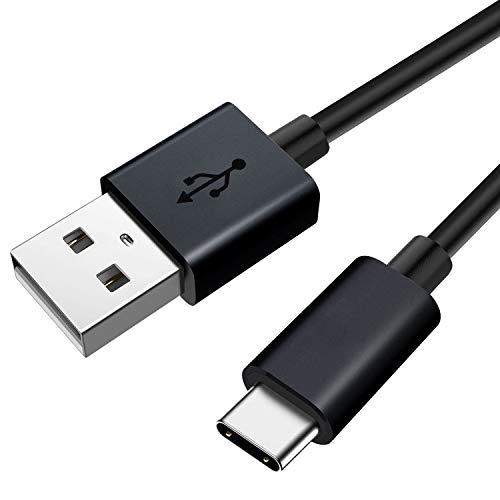
Lepow Z1 Gamut
The Lepow Z1 Gamut is a 15.6 inch portable monitor with a 144Hz refresh rate and a fast response time. It is designed for gamers who want a smooth experience on the go. The display is vibrant and supports FreeSync, reducing screen tearing.
Pros
- High refresh rate
- Supports FreeSync
- Built-in speakers
Cons
- Heavier than average
- Requires external power for full performance

ASUS ROG Strix XG17AHPE
The ASUS ROG Strix XG17AHPE is a high end portable monitor for serious gamers. It features a 240Hz refresh rate and a built in battery that lasts up to 3.5 hours. The panel delivers vivid colors and deep blacks, making games look stunning.
Pros
- Ultra fast 240Hz refresh
- Built-in battery
- Excellent build quality
Cons
- Very expensive
- Heavy and bulky

ViewSonic VG1655
The ViewSonic VG1655 is a 15.6 inch portable monitor aimed at professionals. It includes a built in stand that offers multiple viewing angles and a protective sleeve. The display is calibrated for accurate colors and has a blue light filter.
Pros
- Built-in ergonomic stand
- Accurate colors
- Blue light filter
Cons
- Average brightness
- No touchscreen

Samsung M7 Smart Monitor
The Samsung M7 is a 32 inch smart monitor that is technically portable, though it is on the heavier side. It offers 4K resolution and runs Tizen OS, giving you access to streaming apps without a PC. It is ideal for a second screen in a dorm room or office.
Pros
- Large 4K display
- Smart TV functionality
- USB C with 65W power delivery
Cons
- Not truly portable
- High price

Arzopa Z1FC Portable Monitor
The Arzopa Z1FC portable monitor is a 15.6 inch screen that offers a balance of features and affordability. It has a slim design with a metal back and comes with a smart cover that doubles as a stand. Users praise its brightness and color.
Pros
- Great value for the price
- Slim and light
- Good color reproduction
Cons
- No built-in speakers
- Cable management could be better
How they stack up
| # | Model | Screen Size | Best for | Score | Price |
|---|---|---|---|---|---|
| 1 | ASUS ZenScreen MB16ACV | 15.6 inches | Best Overall | 9.4 | Check price |
| 2 | Acer 16-inch Portable Monitor | 15.6 inches | Best Budget | 8.6 | Check price |
| 3 | Lepow Z1 Gamut | 15.6 inches | Best for Gamers | 8.9 | Check price |
| 4 | ASUS ROG Strix XG17AHPE | 17.3 inches | Best Premium Gaming | 9.0 | Check price |
| 5 | ViewSonic VG1655 | 15.6 inches | Best for Business | 8.8 | Check price |
| 6 | Samsung M7 Smart Monitor | 32 inches | Best Large Screen | 8.4 | Check price |
| 7 | Arzopa Z1FC Portable Monitor | 15.6 inches | Best Value | 8.7 | Check price |
Before you buy
Frequently asked questions
Do all USB C ports support video output?
No, not all USB C ports support video output. Your device must have a USB C port with DisplayPort Alternate Mode or Thunderbolt 3/4 to connect a portable monitor. Check your laptop’s specifications.
Can I use a portable monitor with a smartphone?
Yes, if your smartphone supports video output over USB C, such as Samsung DeX or Huawei Desktop Mode. You may need an adapter or a USB C cable that supports video.
Does a portable monitor need to be plugged in to work?
Most portable monitors draw power from the connected device or need an external power source. Some models have a built-in battery for standalone use, but they are heavier and more expensive.
What is the ideal resolution for a 15.6 inch portable monitor?
Full HD (1920 x 1080) is the most common and offers a good balance of clarity and performance. Higher resolutions like 4K are available but may cause scaling issues on smaller screens and require more graphics power.
Can I use a portable monitor as a second screen for gaming?
Yes, but look for a monitor with a high refresh rate (120Hz or higher) and low response time. Also, ensure your computer can handle the extra display load. Some portable monitors support FreeSync or G-Sync for smoother gameplay.
Are portable monitors touchscreen?
Some models offer touchscreen support, which is great for drawing or navigating with a stylus. However, touchscreens are typically more expensive and may require a full USB C connection for touch input.
How do I connect a portable monitor to a device without USB C?
You can use a USB C to USB A adapter, but note that USB A ports usually do not carry video signals. Instead, use an HDMI port if the monitor has one. Some monitors come with a USB A to USB C cable that supports video, but this is rare.
What is the weight of a typical portable monitor?
Most 15.6 inch portable monitors weigh between 1.5 and 2.5 pounds. Slimmer models are lighter, but they may sacrifice features like built-in batteries or better speakers.
Can I charge my laptop using a portable monitor?
If the monitor supports Power Delivery (PD) and your laptop accepts USB C charging, you can charge it while connected. However, not all portable monitors provide PD, and the power output may be limited.
Do portable monitors come with a warranty?
Yes, most reputable brands offer a one to three year warranty. Check the product details on Amazon for the specific warranty information.
The verdict
For most people, the ASUS ZenScreen MB16ACV is the best all around choice, offering a great balance of price, build, and performance. If you are on a tight budget, the Acer portable monitor delivers solid features at a lower cost. Gamers should consider the Lepow Z1 Gamut for its high refresh rate, while professionals may prefer the ViewSonic VG1655 for its ergonomic stand. Ultimately, pick the one that matches your primary use case.


