Powerline Adapters for Rooms Your WiFi Cannot Reach
The TP-Link TL-PA9020P kit leads for raw throughput and its two gigabit ports per unit. The TL-WPA8631P kit is the better choice if you also need WiFi in the far room, and the TL-PA4010P kit covers basic needs cheaply.
For a wired connection to a distant room, the TP-Link TL-PA9020P kit is the strongest choice, while the TL-WPA8631P kit adds WiFi at the far end and the TL-PA4010P kit handles light duty work such as a smart TV or a printer.
Powerline is tricky because the advertised speed is a theoretical maximum on ideal wiring, and almost nobody has ideal wiring. Circuit breakers, spur sockets, extension leads and older cabling all cut throughput, sometimes drastically, and two houses with identical adapters can see very different results. We compared rated standards, port counts, passthrough design, WiFi capability and what owners report about real world performance across different wiring situations.
How to pick the right one
Treat the advertised speed as a ceiling you will not reach An AV2000 rating describes the theoretical combined capability of the powerline link on perfect wiring, not the throughput you will see on a speed test. Real results depend entirely on your house. Owners commonly report a fraction of the rated figure, and that is normal rather than a fault. What matters is whether the result comfortably exceeds your broadband speed and the needs of the device at the far end. A 100 Mbps result is excellent for streaming even if the box says 2000.
Plug into the wall, never into an extension lead Powerline adapters send data over the mains wiring, and surge protected extension leads filter exactly the frequencies they use. Plugging an adapter into a strip is the single most common cause of poor or absent performance. Use a wall socket directly. If you need the socket back, choose a model with a filtered passthrough outlet, which lets you plug the extension lead into the adapter instead of the other way around.
Circuits and consumer units set the real limit Powerline works best when both adapters are on the same ring circuit. Once the signal has to cross the consumer unit to reach a different circuit, throughput drops, and in some houses it fails altogether. Wiring on separate phases, common in larger properties and some flats, may not connect at all. This is why results vary so much between homes, and why buying from a retailer with a straightforward returns process is sensible.
Decide whether you need WiFi at the far end Plain powerline adapters give you an ethernet port, which is what you want for a games console, desktop or smart TV. If the problem is that phones and laptops have no signal in that room, you need a kit with a built in access point such as the TL-WPA8631P or a mesh capable devolo unit. Adding WiFi costs more and generally comes with a lower powerline speed class, so buy the wired version if wireless coverage is not the actual problem.
Our top picks

TP-Link TL-PA9020P KIT AV2000
The TL-PA9020P is the sensible top pick because it pairs the fastest common powerline standard with two gigabit ethernet ports on each adapter, so you can wire a console and a set top box from one unit. The passthrough socket returns the wall outlet you used. Setup is a matter of plugging both units in and pressing the pair button.
Pros
- Two gigabit ports per unit avoids adding a switch
- Highest rated throughput class in common use
- Passthrough socket keeps the wall outlet usable
Cons
- Bulky units that can block adjacent sockets on some strips
- No WiFi extension, wired connection only
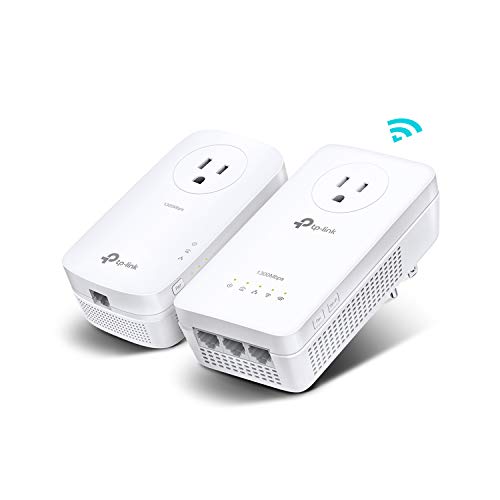
TP-Link TL-WPA8631P KIT AV1300
This kit sends the connection over your mains wiring and then rebroadcasts it as dual band WiFi at the far end, which solves the dead bedroom problem in one purchase. The remote unit also carries three gigabit ports for wired devices. OneMesh support lets it work with compatible TP-Link routers as a single roaming network rather than a separate SSID.
Pros
- Fixes WiFi dead zones and wired needs in one kit
- Three gigabit ports on the remote unit
- OneMesh keeps a single network name on supported routers
Cons
- Lower powerline speed class than the AV2000 kit
- WiFi unit is large and needs a clear socket
devolo Magic 2 WiFi next
devolo uses the G.hn standard rather than HomePlug, which owners in older properties frequently report as more tolerant of noisy or aged wiring. The kit adds mesh WiFi at the remote end and supports roaming between units. It costs more than the TP-Link equivalents, and it is the one to consider if a HomePlug kit has already disappointed you.
Pros
- G.hn often copes better with older or noisy wiring
- Mesh WiFi with proper roaming between adapters
- Well built with a long manufacturer support record
Cons
- Significantly more expensive than HomePlug rivals
- Not interoperable with HomePlug adapters you already own

Netgear Powerline 1200 PL1200
The PL1200 is a plain, small pair of adapters with a single gigabit port each and no passthrough socket, which keeps the units compact enough not to interfere with neighbouring outlets. It is a good fit when you simply need one wired device connected and the socket is already in an awkward spot. Pairing is push button and quick.
Pros
- Compact units that fit awkward socket positions
- Simple push button setup with no software
- Reliable single device wired link
Cons
- No passthrough socket, so it consumes the outlet
- Only one ethernet port per adapter
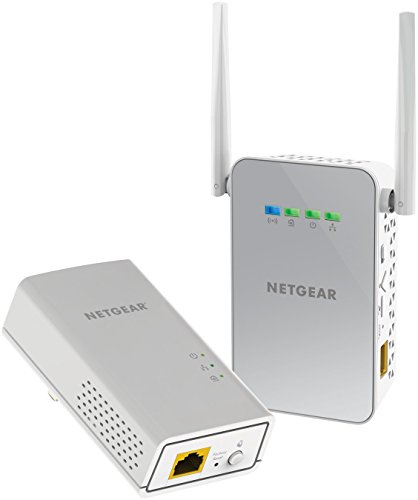
Netgear Powerline WiFi 1000 PLW1000
The PLW1000 pairs a plain powerline adapter with a WiFi access point unit, giving you a wireless signal in the far room without the price of the premium kits. It is a straightforward way to cover a garden office or loft conversion. Wireless performance is adequate rather than exceptional, so treat it as coverage rather than a speed upgrade.
Pros
- Adds a wireless access point for a modest outlay
- Simple to set up with no configuration needed
- Useful for lofts, garages and garden rooms
Cons
- WiFi performance is basic compared with mesh systems
- Only one ethernet port at the remote end
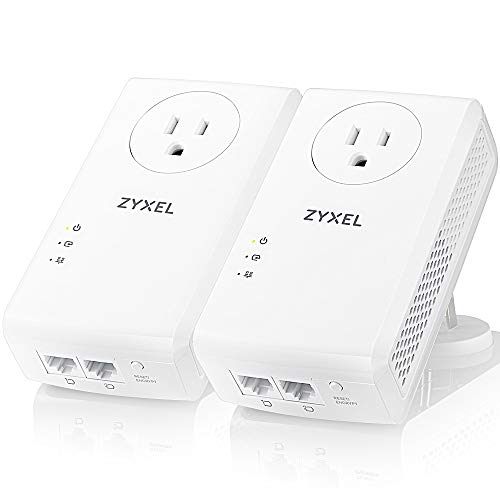
Zyxel PLA6456 AV2000
Zyxel’s PLA6456 sits in the same AV2000 class as the top TP-Link kit, with two gigabit ports per adapter and a passthrough socket. It is a good option when you want the fastest class and would rather not run every device on one brand, or when the TP-Link kit is unavailable. Performance in practice depends far more on your wiring than the badge.
Pros
- Top speed class with two ports per unit
- Filtered passthrough socket returns the outlet
- Interoperable with other HomePlug AV2 adapters
Cons
- Less common than TP-Link, so support articles are scarcer
- Large physical size on the wall

TP-Link TL-PA4010P KIT AV600 Nano
The Nano kit is small, cheap and limited to a 100 Mbps ethernet port, which is plenty for a smart TV streaming, a printer or a games console downloading in the background. It includes a passthrough socket in this version. Buy it when you need connectivity rather than speed, and do not expect it to feed a home office.
Pros
- Cheapest reliable way to reach a distant room
- Small units that rarely block adjacent sockets
- Passthrough socket included at this price
Cons
- 100 Mbps port caps throughput regardless of your broadband
- Not suitable for large file transfers or heavy home working
Compared at a glance
| # | Model | Standard | Best for | Score | Price |
|---|---|---|---|---|---|
| 1 | TP-Link TL-PA9020P KIT AV2000 | HomePlug AV2 MIMO, AV2000 class | Best overall | 9.4 | Check price |
| 2 | TP-Link TL-WPA8631P KIT AV1300 | HomePlug AV2, AV1300 class | Best for adding WiFi | 9.2 | Check price |
| 3 | devolo Magic 2 WiFi next | G.hn, up to 2400 Mbps class | Best for older wiring | 9.0 | Check price |
| 4 | Netgear Powerline 1200 PL1200 | HomePlug AV2, 1200 Mbps class | Best compact kit | 8.8 | Check price |
| 5 | Netgear Powerline WiFi 1000 PLW1000 | HomePlug AV2, 1000 Mbps class | Best value WiFi kit | 8.6 | Check price |
| 6 | Zyxel PLA6456 AV2000 | HomePlug AV2 MIMO, AV2000 class | Best alternative high speed kit | 8.3 | Check price |
| 7 | TP-Link TL-PA4010P KIT AV600 Nano | HomePlug AV2, 600 Mbps class | Best budget | 8.0 | Check price |
Common questions
Will a powerline adapter work in my house?
It depends on your wiring. Adapters work best when both sockets are on the same circuit and plugged directly into the wall. Older wiring, separate circuits and multiple consumer units all reduce performance. Because results are so house specific, buy from a retailer with an easy return policy and test before committing to more units.
Is powerline better than a WiFi extender?
Often yes for distant rooms with thick walls, because the signal travels through wiring rather than through masonry. A WiFi extender halves bandwidth on single band models and needs a decent signal to repeat in the first place. Where you have a strong existing signal to repeat, an extender or mesh node may be simpler.
Do powerline adapters use much electricity?
Very little. Typical adapters draw a few watts each, comparable to a phone charger, and most enter a low power standby state when no data is passing. The running cost is negligible compared with the devices they connect.
Can I mix powerline adapters from different brands?
HomePlug AV2 adapters from different manufacturers generally interoperate, so a TP-Link unit can usually pair with a Zyxel one. Adapters using the G.hn standard, such as the devolo Magic range, are not compatible with HomePlug. Check the standard, not just the speed rating, before mixing.
How many adapters can I use on one network?
Most HomePlug networks support up to eight or more adapters, though every additional unit shares the same total bandwidth. In practice, three or four adapters is a sensible maximum before performance becomes noticeably diluted. Check the specific manufacturer limit if you plan a larger setup.
Are powerline adapters secure?
Modern adapters encrypt traffic with AES and pair using a physical button, so a neighbour on the same supply cannot simply join your network. Press the pair button on both units when you first set them up rather than relying on the default network name, particularly in flats where the wiring may be shared.
Why is my powerline connection slower than advertised?
Because the advertised figure is a theoretical maximum across ideal wiring. Distance, circuit crossings, old cabling, and interference from appliances such as chargers, dimmer switches and motors all reduce throughput. Moving the adapter to a different socket, ideally on the same circuit, is the first thing to try.
Do I still need a router with powerline adapters?
Yes. Powerline extends your existing network, it does not replace the router. One adapter plugs into a wall socket near the router and connects to it by ethernet, and the other creates the connection at the far end. All routing, addressing and internet access still come from the router.
The bottom line
The TP-Link TL-PA9020P kit is the pick for a fast wired link to a distant room, thanks to its top speed class and two gigabit ports per adapter. Choose the TL-WPA8631P kit if the room also needs WiFi, the devolo Magic 2 WiFi next if older wiring has defeated HomePlug kits before, and the TL-PA4010P Nano if you only need to reach a TV or printer.


