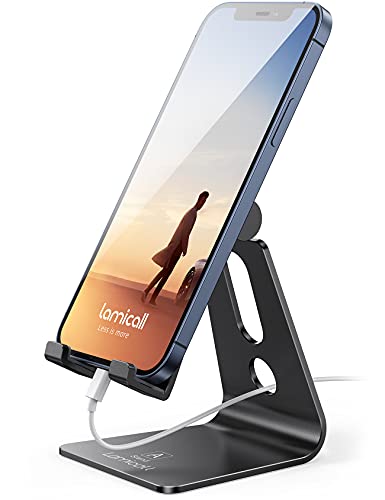
Small Desk Accessories Make a Home Office Feel Organized
Anker’s MagGo 3-in-1 Foldable Wireless Charging Station leads for versatile charging. VIVO’s Dual Monitor Desk Stand suits dual-screen setups best. UGREEN’s Cable Management Box handles cord clutter most effectively, and each pick was compared on build material, capacity, and fit against typical desk dimensions.
Anker’s MagGo 3-in-1 Foldable Wireless Charging Station covers phone, watch, and earbud charging in one folding stand, a solid fit for most home offices. Dual-screen users get more value from the VIVO Dual Monitor Desk Stand, which lifts both displays off the desk surface. When cord clutter is the real complaint, the UGREEN Cable Management Box hides a power strip and adapters behind vented plastic walls.
Desk accessories solve different problems, so a mat, an organizer, and a monitor arm rarely compete for the same shortlist. We compared build material, dimensions, weight capacity, and stated compatibility across current Amazon listings. Owner feedback on stability and daily use factored into the ranking too. Selections favor accessories that solve one task clearly over vague all-in-one claims.
Our top picks

Anker MagGo 3-in-1 Foldable Wireless Charging Station
This 3-in-1 foldable stand charges a phone, watch, and earbuds at once through magnetic alignment. Folded, it shrinks to about the size of a passport for travel. An aluminum hinge switches the stand between portrait and landscape charging angles.
Pros
- Folds flat for travel and storage
- Magnetic alignment keeps the phone steady while charging
- Charges three devices from a single outlet
Cons
- Output tops out at 15W even with fast chargers
- Non-MagSafe phones need a case with a magnet ring

VIVO Dual Monitor Desk Stand
Steel construction lets this dual-arm mount clamp to desks up to 3.5 inches thick. Each arm holds a screen up to 27 inches and 17.6 pounds, with full tilt, swivel, and rotation. VESA 75×75 and 100×100 mounting plates cover most monitor brands.
Pros
- Frees desk space by lifting monitors off the surface
- Independent arms angle each screen separately
- Built-in cable clips route wires along the arms
Cons
- C-clamp needs desk-edge clearance underneath
- Heavier ultrawide monitors exceed the weight rating

UGREEN Cable Management Box
Flame-retardant ABS walls enclose a power strip and charger cords inside this box. Side vents let heat escape while cables exit through gaps on each end. Interior space fits a standard power strip plus several bulky wall adapters.
Pros
- Hides cord clutter under or behind a desk
- Side vents cut down heat buildup around adapters
- Flat lid doubles as a small shelf
Cons
- Power strip must be bought separately
- Interior space gets tight past six adapters
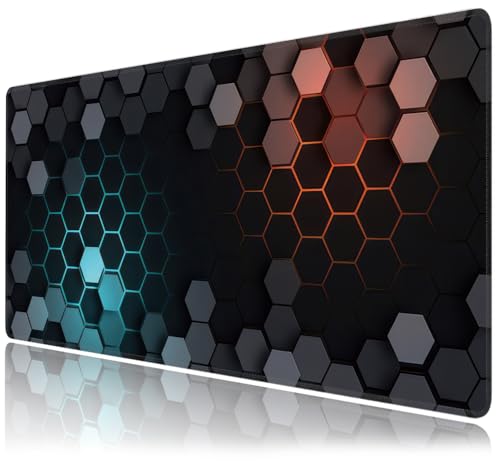
Jelly Comb Large Desk Mat
PU leather covers one side of this dual-sided mat, felt the other, so it flips for a different feel. A full-desktop footprint protects the surface from scratches and spills. Non-slip cork on the bottom keeps it from sliding under a keyboard and mouse.
Pros
- Waterproof top wipes clean after spills
- Reversible design offers two textures in one mat
- Covers enough area for a keyboard, mouse, and notebook
Cons
- Edges can curl slightly right after unrolling
- Leather-side finish shows fingerprints over time

Bellemain Mesh Pen and Pencil Holder
Steel mesh forms this small cup that keeps pens, scissors, and small tools upright on a crowded desk. A weighted base resists tipping when items get pulled out one-handed. Dust falls through the mesh sides instead of collecting at the bottom.
Pros
- Compact footprint fits tight desk corners
- Weighted base stays put during daily use
- Open mesh design keeps contents visible
Cons
- Single compartment mixes pens with other tools
- Steel coating can chip if dropped repeatedly

Amazon Basics LED Desk Lamp with USB Charging Port
A 9-watt LED panel and built-in USB port let this lamp light a desk and charge a phone at once. Three color temperature settings plus stepless dimming cover reading, focus, and low-light use. Folding arm sections bring it close to the desk or extend it outward.
Pros
- Built-in USB port skips the need for a separate charger
- Stepless dimming fine-tunes brightness without fixed steps
- Folding arm saves space when not in use
Cons
- Plastic base feels light next to weighted stands
- Color temperature and brightness need separate buttons

Mind Reader Rotating Desktop Organizer
This multi-tier caddy spins a full 360 degrees, letting shared desks or hot-desking stations reach supplies from any side. Tiered compartments separate pens, sticky notes, paper clips, and a phone slot without items mixing. Light to moderate loads rotate smoothly on the swivel base.
Pros
- 360-degree rotation suits shared or hot-desk setups
- Multiple compartments keep small supplies sorted
- Compact footprint works on narrow desks
Cons
- Top-tier compartments hold less than they appear
- Swivel base can wobble on uneven desk surfaces
What to look for
What should you look for in desk accessories? Material decides how an accessory holds up under daily use, whether that means steel mesh, PU leather, or ABS plastic. Footprint matters just as much as function, since a 24-inch-deep desk cannot fit a large mat and a wide organizer side by side. Compatibility varies too. Wireless charging stands need MagSafe-ready phones, and monitor arms list weight limits tied to specific VESA patterns. Checking stated dimensions against actual desk space before buying avoids returns.
Which desk accessories work best for small desks? Desks under 40 inches wide benefit from vertical storage rather than items spread across the surface. That is where a compact mesh pen holder earns its footprint. A rotating organizer with tiered compartments sorts supplies without claiming much desk area, since its base stays under 10 inches across. Wall- or clamp-mounted lighting frees surface space compared with a heavy weighted lamp base. Every added accessory should still leave room for a keyboard and mouse.
How do you manage cables and charging on a desk? A cable management box works best when the power strip inside has enough outlets for every adapter routed through it, since interior space runs tight past six plugs. Pairing that box with a foldable charging stand cuts down on loose USB cables snaking across the desk. Vented plastic housings matter for anything charging multiple devices at once, since heat builds up around several adapters. Routing cords along a monitor arm’s built-in clips keeps the desk surface clear underneath.
What desk setup works for shared or multi-monitor workstations? Hot-desking setups favor accessories that reset quickly between users, which favors a rotating organizer over fixed drawer inserts. Dual monitor stands with independent tilt and swivel let each person adjust screen height without tools. That matters when multiple people share one desk across shifts. Standing desks add another variable, since a monitor arm’s clamp needs clearance at whatever height the desk surface lands. Lightweight accessories that skip permanent mounting suit any workstation that changes users often.
How they stack up
| # | Model | Material | Best for | Score | Price |
|---|---|---|---|---|---|
| 1 | Anker MagGo 3-in-1 Foldable Wireless Charging Station | ABS plastic body with aluminum hinge | Best overall | 9.4 | Check price |
| 2 | VIVO Dual Monitor Desk Stand | Steel frame with cold-rolled base plate | Best for dual monitors | 9.1 | Check price |
| 3 | UGREEN Cable Management Box | Flame-retardant ABS plastic | Best for cable management | 8.9 | Check price |
| 4 | Jelly Comb Large Desk Mat | PU leather top, non-slip cork base | Best value | 8.6 | Check price |
| 5 | Bellemain Mesh Pen and Pencil Holder | Steel mesh, black coating | Best for small desks | 8.4 | Check price |
| 6 | Amazon Basics LED Desk Lamp with USB Charging Port | Aluminum arm, plastic base | Best budget | 8.2 | Check price |
| 7 | Mind Reader Rotating Desktop Organizer | Plastic, tiered compartments | Best for rotating access | 8.0 | Check price |
Frequently asked questions
What desk accessories should you buy first?
A charging stand and a cable management box solve the two most common complaints: dead devices and visible cord clutter. Add a pen holder or rotating organizer once the desk surface itself is under control.
How do you organize desk cables?
Route power strips and adapters into a vented cable management box, then use a monitor arm’s built-in clips to guide remaining cords upward. Keeping cables off the floor and desk surface cuts down on tangling around chair legs.
Do wireless charging stands work with every phone case?
MagSafe-compatible stands like the Anker MagGo need either a MagSafe iPhone or a case with an embedded magnet ring. Thick cases or ones without magnets can slow charging speed or block alignment entirely.
Which desk accessory works best for a small desk?
A compact mesh pen holder or a rotating organizer with a base under 10 inches across fits tight desks without crowding a keyboard. Wall-clamped lighting also frees surface space compared with a weighted lamp base.
Can a monitor arm hold two screens at once?
Dual-arm stands like the VIVO Dual Monitor Desk Stand support two monitors independently, each rated up to 27 inches and 17.6 pounds. Confirm the desk edge has clearance for the C-clamp before mounting.
Desk mat vs mouse pad, what is the difference?
A full desk mat like the Jelly Comb covers the entire work surface at roughly 31.5 by 15.7 inches, protecting it from scratches and spills. A mouse pad only covers the small area under the mouse itself.
How much weight can a dual monitor stand hold?
The VIVO Dual Monitor Desk Stand rates each arm up to 17.6 pounds, which covers most 24 to 27 inch monitors. Heavier ultrawide displays can exceed that rating and need a heavier-duty mount.
What desk accessories help with hot-desking or shared workstations?
Rotating organizers give quick access to shared supplies from any side without permanent placement. Dual monitor arms with tool-free tilt and swivel let each person adjust screens fast between shifts.
Is a desk lamp with a USB port worth it?
A built-in USB port removes one charging brick from the outlet strip, which matters on desks already crowded with adapters. The Amazon Basics lamp also adds adjustable color temperature for reading versus focus work.
How do you keep a shared desk tidy between users?
A rotating organizer resets fast since nothing sits in a fixed drawer that only one person can reach. Pairing it with a cable box keeps each new user’s cords separate from the last person’s setup.
Our pick
Most desks benefit from pairing one charging or lighting accessory with one organization accessory, rather than buying every category at once. Anyone charging multiple Apple devices daily gets the most from the Anker MagGo, while dual-monitor setups needing floor space back should look at the VIVO stand. Cord-heavy desks do well with the UGREEN box paired with a full desk mat, solving clutter without rewiring the whole setup.