Smart Sensors That Actually Catch What Matters
The Aqara Motion Sensor P1 is our top smart sensor overall thanks to fast triggering and a five year battery claim. The Third Reality Smart Motion Sensor is the value pick for Zigbee homes, and the Govee WiFi Water Sensor 2 is the one we would buy first for leak protection.
If you want one smart sensor that covers the most ground, the Aqara Motion Sensor P1 is the pick, with the Third Reality Smart Motion Sensor as the cheaper Zigbee alternative and the Govee WiFi Water Sensor 2 for leaks under sinks and behind washers.
Smart sensors look interchangeable in listings, but the protocol decides whether a sensor works with your setup at all, and battery life varies from months to years depending on how often the radio wakes. We compared published specifications, hub compatibility notes and what owners report about false triggers and reconnection problems, then ranked the sensors that cover the jobs most homes actually need.
How to pick the right one
Pick the protocol before you pick the sensor The single biggest cause of returned smart sensors is buying the wrong radio. Zigbee and Z-Wave sensors need a matching hub, Thread sensors need a border router such as a recent Apple TV or Echo, and WiFi sensors join your router directly but often need a vendor bridge anyway. Decide what your home already speaks, then shop only within that list. A cheap sensor on the wrong protocol is a drawer ornament.
Battery claims depend on how you configure the device Manufacturers quote battery life at a low reporting rate. Set a motion sensor to a two second detection interval in a busy hallway and you will drain it several times faster than the box suggests. Contact and leak sensors sip power because they only transmit on a state change, which is why they routinely run for years. Where possible choose sensors that use common coin cells rather than proprietary packs.
Placement matters more than sensitivity ratings Passive infrared motion sensors respond to heat moving across their field of view, not toward it, so mounting one facing a doorway gives slower triggering than mounting it to the side. Keep them away from heating vents, sunlit windows and pet paths unless the model advertises pet immunity. Leak sensors belong on the floor at the lowest point near a supply line, not on top of the appliance.
Think about what happens when the internet drops Cloud dependent sensors go quiet during an outage, which is exactly when a burst pipe or an open door matters most. Sensors with a local siren, or those running on a hub that executes automations locally, keep working. If you are building around reliability rather than convenience, favour local execution and treat phone alerts as a bonus rather than the main line of defence.
What we recommend

Aqara Motion Sensor P1
The P1 pairs a wide detection cone with an adjustable detection interval, so you can tune it for a hallway that needs instant lights or a room where constant retriggering wastes battery. It runs on Zigbee through an Aqara hub and exposes both motion and light level, which makes it far more useful in automations than a bare motion trigger. Owners report it is the sensor they stop thinking about after setup.
Pros
- Adjustable detection interval from a few seconds to half an hour
- Light level reading enables smarter lighting rules
- Long stated battery life on replaceable cells
Cons
- Needs an Aqara or compatible Zigbee hub
- Magnetic mount can slip on rough surfaces

Third Reality Smart Motion Sensor
Third Reality built its reputation on cheap Zigbee devices that behave well on SmartThings and Home Assistant, and this motion sensor is the clearest example. Reporting is quick, the housing is small enough to tuck onto a shelf edge, and it uses a common coin cell rather than a proprietary pack. It lacks the light level reading of pricier sensors, so it is a motion trigger and nothing more.
Pros
- Works with most third party Zigbee hubs
- Small footprint that hides easily
- Common replaceable coin cell
Cons
- No ambient light measurement
- Detection cone narrower than the Aqara P1

Govee WiFi Water Sensor 2
Water damage is the failure most sensors are bought to prevent, and this Govee kit sends a phone alert plus a loud local siren the moment the probe contacts water. The base station handles the WiFi connection so the sensors themselves stay small and long lived, and one hub covers several placements around a home. Owners report the alarm is loud enough to hear from another floor.
Pros
- Local siren works even if phone alerts are missed
- One hub supports multiple sensor placements
- Simple setup with no smart home platform required
Cons
- Requires the Govee hub, sensors do not join WiFi alone
- Limited integration with other smart home platforms

Aqara Door and Window Sensor P2
The P2 is the contact sensor to buy if you want to stay platform neutral, because Thread and Matter support means it can join Apple Home, Google Home or SmartThings without a vendor specific bridge. Response is quick enough for entry lighting and for arming logic in a security routine. The trade off is that you still need a Thread border router somewhere in the house.
Pros
- Matter support keeps it usable across platforms
- Slim body fits most door and window frames
- No proprietary hub required with a Thread border router
Cons
- Needs a Thread border router in range
- Adhesive can fail on textured vinyl frames
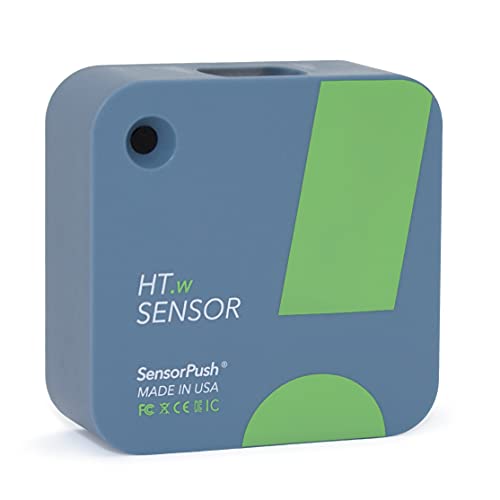
SensorPush HT.w Wireless Thermometer Hygrometer
Where most climate sensors give you a number, the HT.w logs history so you can see how a crawl space, wine fridge or instrument room drifts through the day. The water resistant housing survives places a standard sensor would not, and the app charts trends without a subscription. Remote alerts need the separate SensorPush gateway, which is the main cost consideration.
Pros
- Detailed history charts without a subscription
- Water resistant body suits damp locations
- Accurate readings owners report as consistent
Cons
- Remote alerts require the extra gateway
- Bluetooth range is limited through thick walls
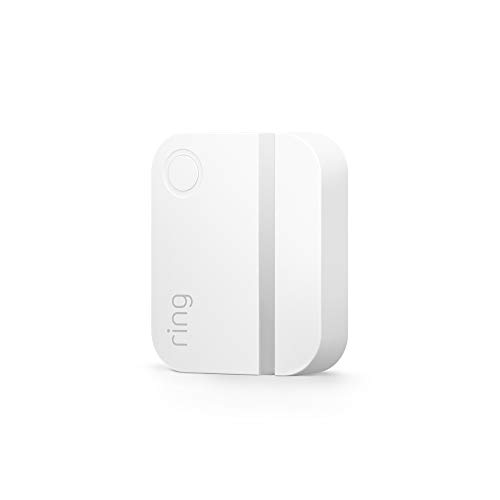
Ring Alarm Contact Sensor (2nd Gen)
If you already run a Ring Alarm base station, this contact sensor is the path of least resistance, pairing in seconds and feeding straight into arming modes and professional monitoring. It is smaller than the first generation and the battery is a standard coin cell. Outside the Ring ecosystem it has little value, so buy it only if the base station is already in place.
Pros
- Fastest setup of any sensor here for Ring owners
- Feeds directly into arming modes and monitoring
- Compact second generation housing
Cons
- Useless without a Ring Alarm base station
- No standalone siren or local alert
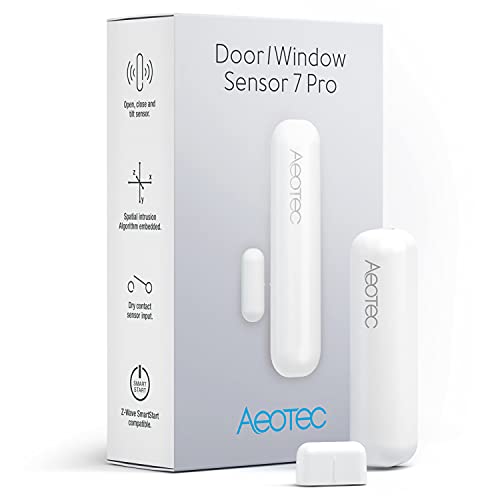
Ecolink Z-Wave Plus Door Window Sensor
Ecolink sensors are the ones installers reach for when a Z-Wave system needs contacts that just keep reporting. The rare earth magnet tolerates wider gaps than most, which helps on warped doors and older windows, and there is an external contact input for wiring in an existing alarm loop. It looks dated next to Thread sensors, but reliability is the point.
Pros
- Tolerates wider door and frame gaps
- External input lets it read existing wired contacts
- Long battery life owners report in years
Cons
- Bulkier than modern Thread sensors
- Requires a Z-Wave hub or controller
How they stack up
| # | Model | Protocol | Best for | Score | Price |
|---|---|---|---|---|---|
| 1 | Aqara Motion Sensor P1 | Zigbee 3.0 | Best overall | 9.4 | Check price |
| 2 | Third Reality Smart Motion Sensor | Zigbee 3.0 | Best value | 9.2 | Check price |
| 3 | Govee WiFi Water Sensor 2 | WiFi via included hub | Best for leak detection | 9.0 | Check price |
| 4 | Aqara Door and Window Sensor P2 | Thread with Matter support | Best for contact sensing | 8.8 | Check price |
| 5 | SensorPush HT.w Wireless Thermometer Hygrometer | Bluetooth, gateway optional | Best for temperature and humidity | 8.6 | Check price |
| 6 | Ring Alarm Contact Sensor (2nd Gen) | Z-Wave via Ring Alarm base | Best for Ring users | 8.3 | Check price |
| 7 | Ecolink Z-Wave Plus Door Window Sensor | Z-Wave Plus | Best for Z-Wave systems | 8.0 | Check price |
Frequently asked questions
What does a smart sensor actually do?
It reports a change of state to a hub or app. That change might be motion, a door opening, water on the floor, or a temperature crossing a threshold. On its own a sensor does nothing useful, so its value comes from the automation you build on top of it.
Do I need a hub for smart sensors?
Usually yes. Zigbee and Z-Wave sensors always need one, and Thread sensors need a border router. Only WiFi sensors avoid the requirement, and many of those still ship with a bridge because a direct WiFi radio drains batteries quickly.
How long do smart sensor batteries last?
Contact and leak sensors commonly run one to three years because they only transmit on a state change. Motion sensors run shorter, often six months to two years, depending on how often they trigger and how short the detection interval is set.
Will a motion sensor trigger on my pet?
It can. Passive infrared sensors detect moving heat, and a large dog reads much like a small person. Some sensors advertise pet immunity below a stated weight, and mounting higher with a downward tilt reduces false triggers on the rest.
Can smart sensors work without internet?
Sensors talk to a local hub, so the sensing itself continues. Whether automations still run depends on the hub. Systems that execute rules locally keep working, while cloud dependent platforms stop until the connection returns.
What is the difference between Zigbee, Z-Wave and Thread?
All three are low power mesh radios. Zigbee is the most common and cheapest, Z-Wave uses a less crowded frequency band so it interferes less with WiFi, and Thread is the newest and underpins Matter, which is what makes cross platform support practical.
Are leak sensors worth it if I have home insurance?
Owners report that early water alerts turn a flooded room into a wet towel. Insurance covers the loss after the fact, but it does not replace the disruption, so a leak sensor under a dishwasher or water heater is one of the cheapest pieces of protection you can add.
How many sensors do I need to start?
Start with three: one contact sensor on the main entry door, one leak sensor at the highest risk appliance, and one motion sensor where automatic lighting saves the most fumbling. Add more once you know which automations you actually use.
The bottom line
The Aqara Motion Sensor P1 is the smart sensor we would buy first, because the adjustable detection interval and light level reading make it useful in far more automations than a plain motion trigger. Zigbee households on a tighter budget should look at the Third Reality Smart Motion Sensor, and anyone worried about water damage should start with the Govee WiFi Water Sensor 2 before adding anything else.


